Client Accounts & Lines of Business
Client Accounts define the BPO's end clients — the companies your organisation supports. Each client can have one or more Lines of Business (LOBs), which represent distinct service programs (e.g., English Voice Support, French Chat, Claims Intake).
This three-level structure (Tenant → Client → LOB) is central to how FrontLine scopes all workforce data, requisitions, schedules, and reporting.
Viewing client accounts
Navigate to Settings → Client Accounts.
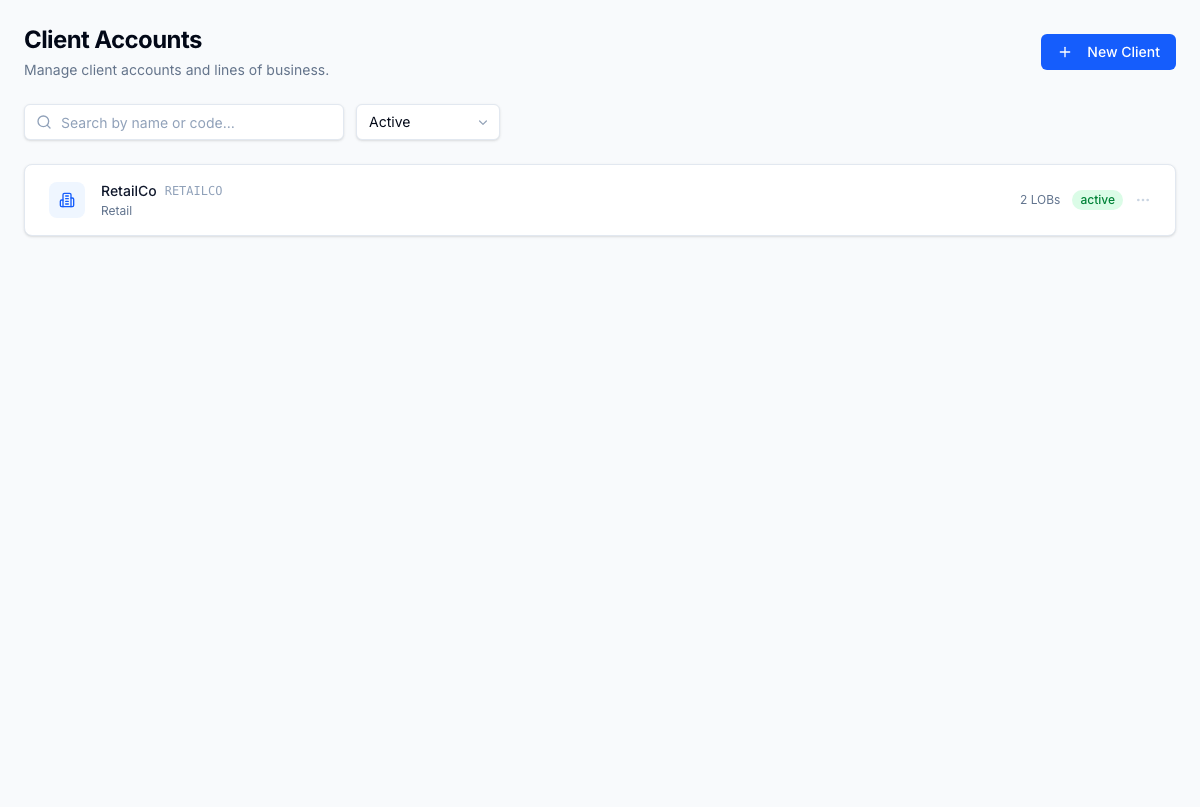
The list shows:
- Account name and short code
- Industry
- LOB count — number of active lines of business under this client
- Status
Use Search to filter by name or code. Use the Status filter to show active, inactive, or archived accounts.
Creating a client account
- Click New Client.
- Enter:
- Account name — the client's full name (e.g., RetailCo)
- Code — a short identifier (auto-suggested based on name, e.g., RETAILCO)
- Industry — the client's industry sector
- Contact name and contact email — primary point of contact at the client
- Click Create. The account is created with Active status.
Adding a Line of Business
Lines of Business are added from the client account detail panel:
- Click any client account to open its side panel.
- Click Add LOB.
- Enter:
- Name — descriptive name (e.g., English Support)
- Code — short identifier (e.g., EN-VOICE)
- Channel — the service channel: Voice, Chat, Email, Ticket, or Mixed
- Language — the primary language (BCP-47 code, e.g.,
en,fr)
- Save.
Deactivating accounts and LOBs
- Deactivating a client account — removes it from active use. Existing employee assignments and historical data are retained.
- Archiving a LOB — the LOB is no longer available for new assignments or requisitions.
Deactivating a client account affects all associated LOBs and will impact any active requisitions or schedules linked to that client. Review open records before deactivating.