Employee Records
The Employees module is the central record for everyone in your workforce — current employees, those on leave, and alumni.
Viewing employees
Navigate to Employees in the sidebar.
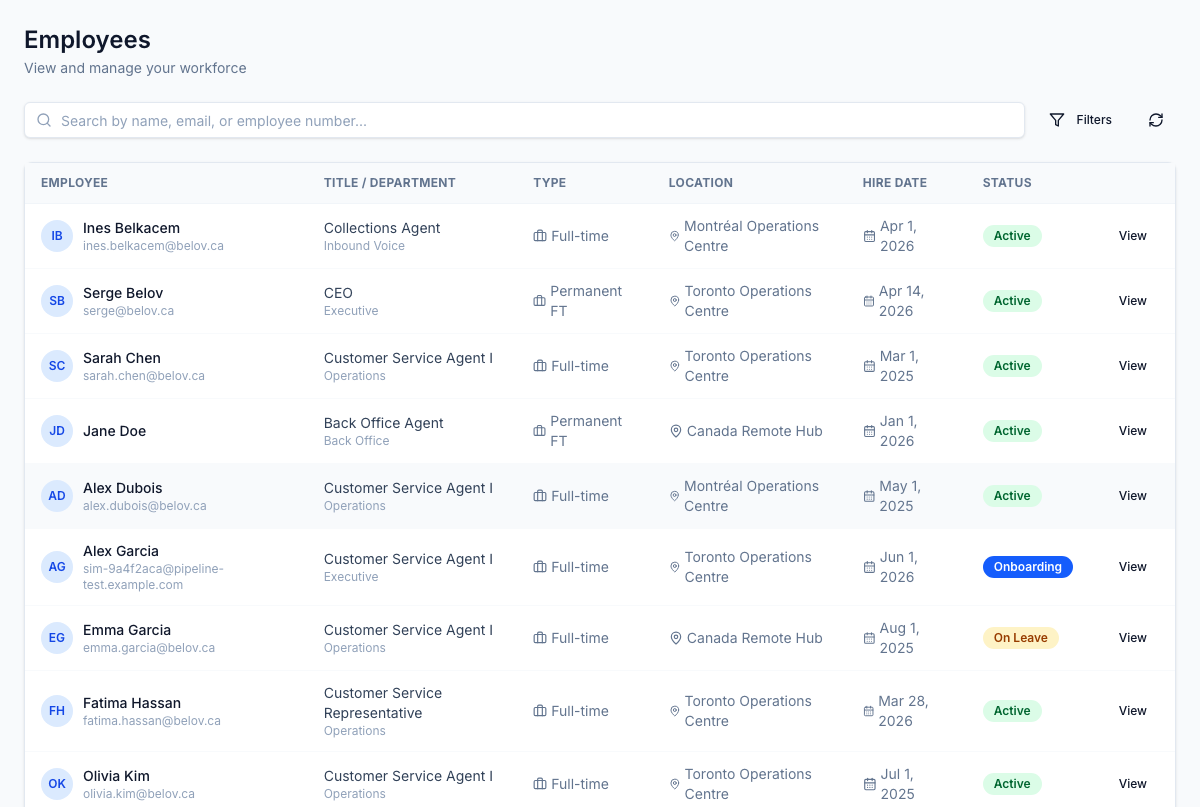
Each row shows:
- Name and avatar
- Job title and department
- Employment type (full-time, part-time, contract, etc.)
- Location including city
- Hire date
- Status
Employee statuses
| Status | Description |
|---|---|
| Active | Currently employed and working |
| On Leave | On an approved leave of absence |
| Suspended | Temporarily suspended |
| Terminated | Employment ended |
| Alumni | Former employee retained in system |
Searching and filtering
Use the Search box to find employees by name or email. Use the Status filter to narrow to a specific employment state.
Employee profile
Click any employee to open their full profile, which includes:
- Personal and contact information
- Employment details — title, department, type, location, hire date
- Client assignments — which client accounts and LOBs the employee is assigned to
- Change requests — pending or historical change requests for this employee's record
- Documents — employment agreements, ID documents, and other files
Change requests
Employee record changes (job title, compensation, department, employment type) follow an approval workflow rather than direct edits. This preserves an accurate history and ensures changes are reviewed before being applied.
See the Change Requests section for details on submitting and approving changes.
Private information
The Private Info tab on an employee record holds sensitive personal data — personal and emergency contacts, and country-aware national identifiers (SIN for Canada, SSN for the US, work permit details) in clearly separated sections.
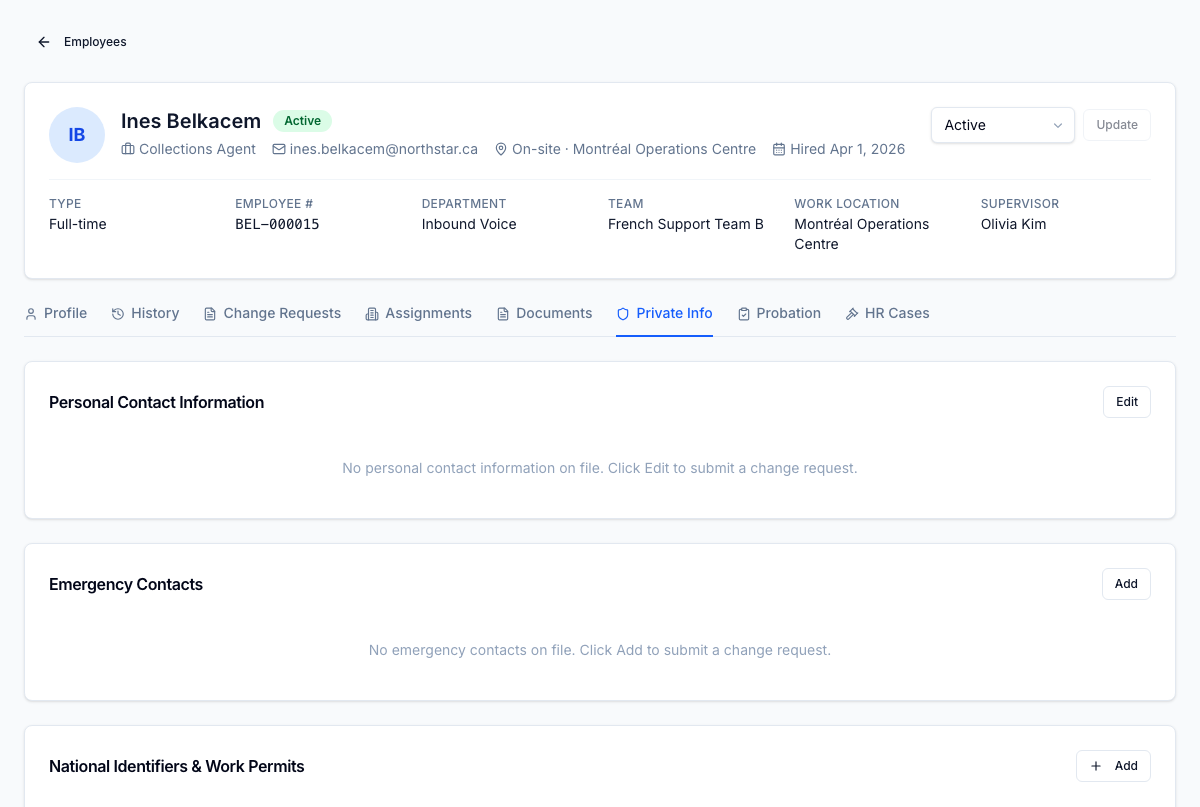
Edits go through approval
Private information can't be edited directly. Changes go through a structured change-request form: field-level validation runs on submit, HR approves before the new value lands on the record, and the before/after snapshot is retained.
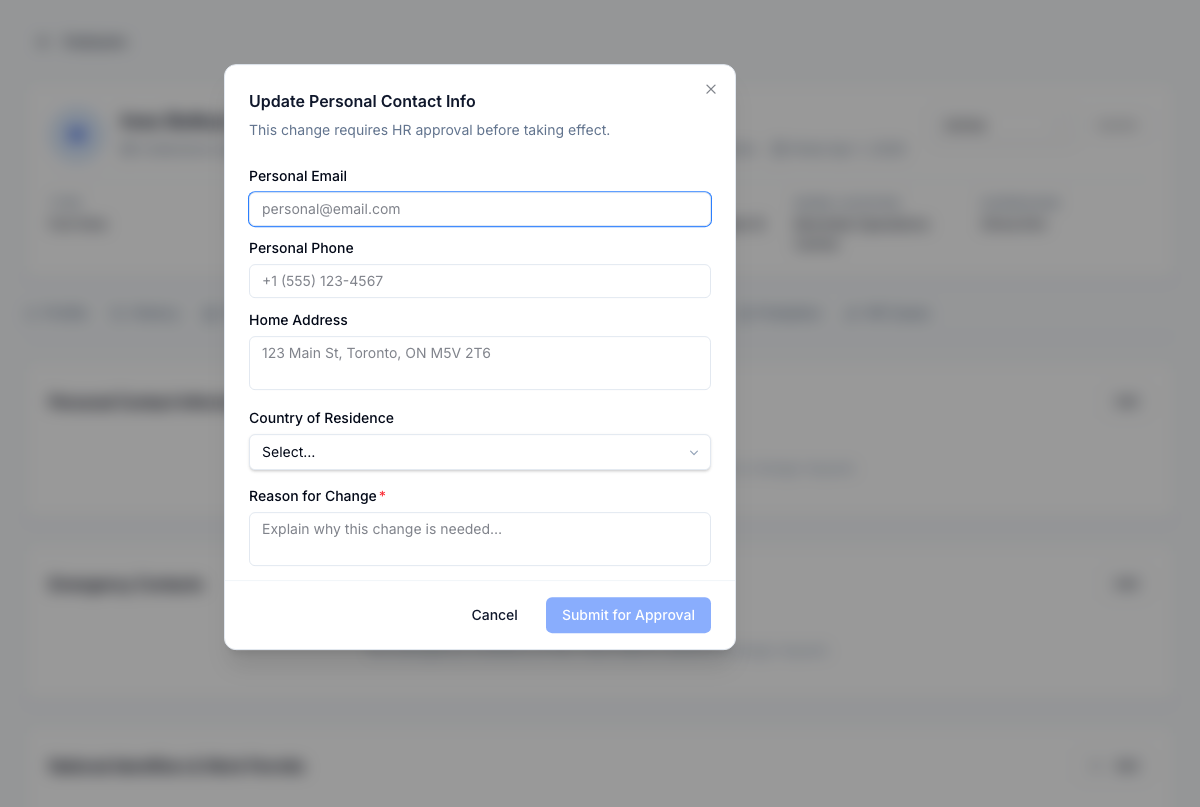
Every read of a national ID or other PII is written to the audit trail — see the Compliance dashboard → PII access log.
Sensitive HR documents
Offer letters, signed acknowledgements, and hire-package PDFs live on the same record, tenant-isolated in storage with role-gated downloads. Profile history is effective-dated, so an audit can pull a point-in-time view by date.