Service Desk
Service Desk is FrontLine's IT and internal support desk. It gives your agents a
ticket queue with configurable per-project workflows, business-hours SLAs,
approvals, automation, a service catalog, and the ITIL practices (major
incident, problem, and change management) that IT and operations teams run on.
Every ticket, comment, approval, and time entry is tenant-scoped and audited.
Open it from the sidebar under Service Desk (/service-desk).
The ticket queue
/service-desk is the operator queue: every open ticket with the cues an agent
works from, its priority, SLA state, assignee, and age. Filter by status,
priority, assignment group, or assignee, and open any ticket to work it.
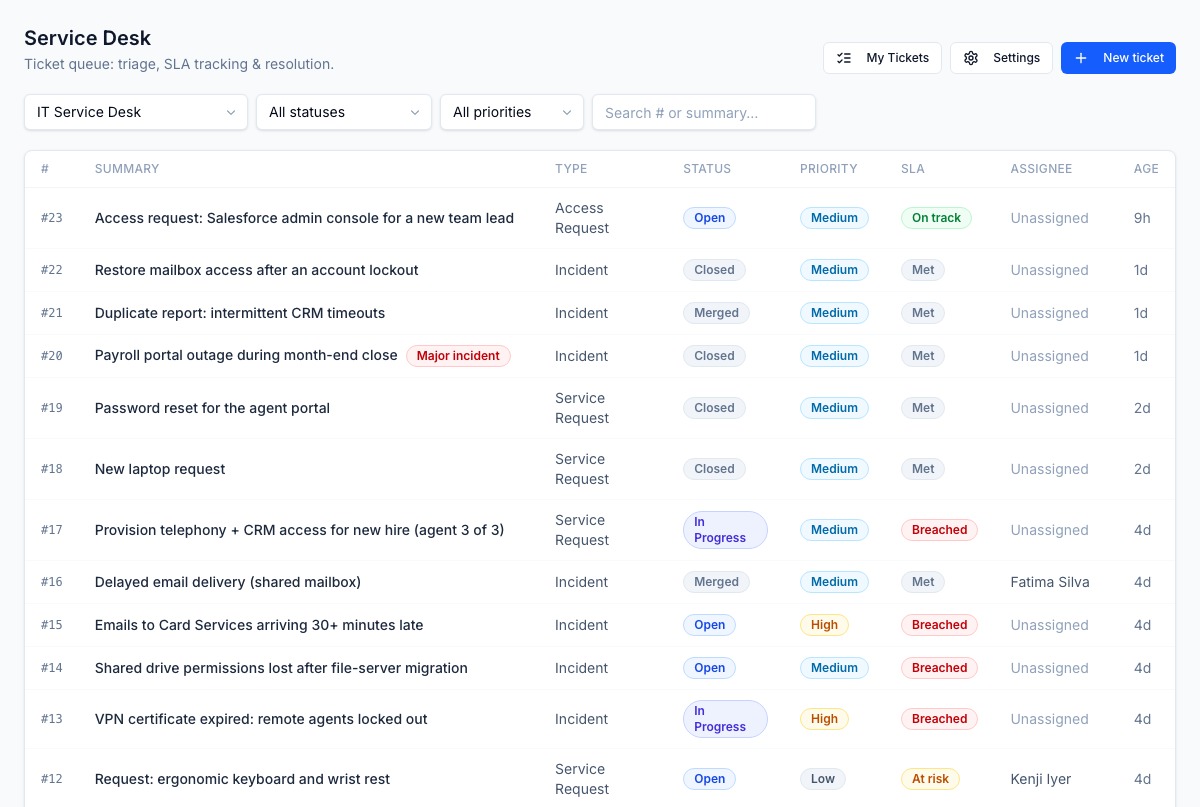
Each project defines its own workflow: a set of statuses and the transitions allowed between them. The workflow is enforced as a state machine, so a ticket only moves along a valid path rather than jumping to an arbitrary state. Custody is tracked by an assignment ledger, so a ticket has exactly one owner at a time and the history of who held it is never lost.
Working a ticket
/service-desk/tickets/[id] is where an agent does the work. A single page pulls
together everything about the ticket:
- Conversation: public comments the requester sees, and internal notes gated to the team.
- Attachments and typed links to related tickets (duplicate-of, blocks, relates-to).
- Custom fields defined per project.
- SLA: the response and resolution clocks and where they stand.
- Approvals: anything the ticket is waiting on, actionable inline.
- Triage suggestions: AI-assisted hints on category, priority, and the likely assignee.
- Requester context: who raised it, their client and LOB, their recent tickets, and the assets assigned to them.
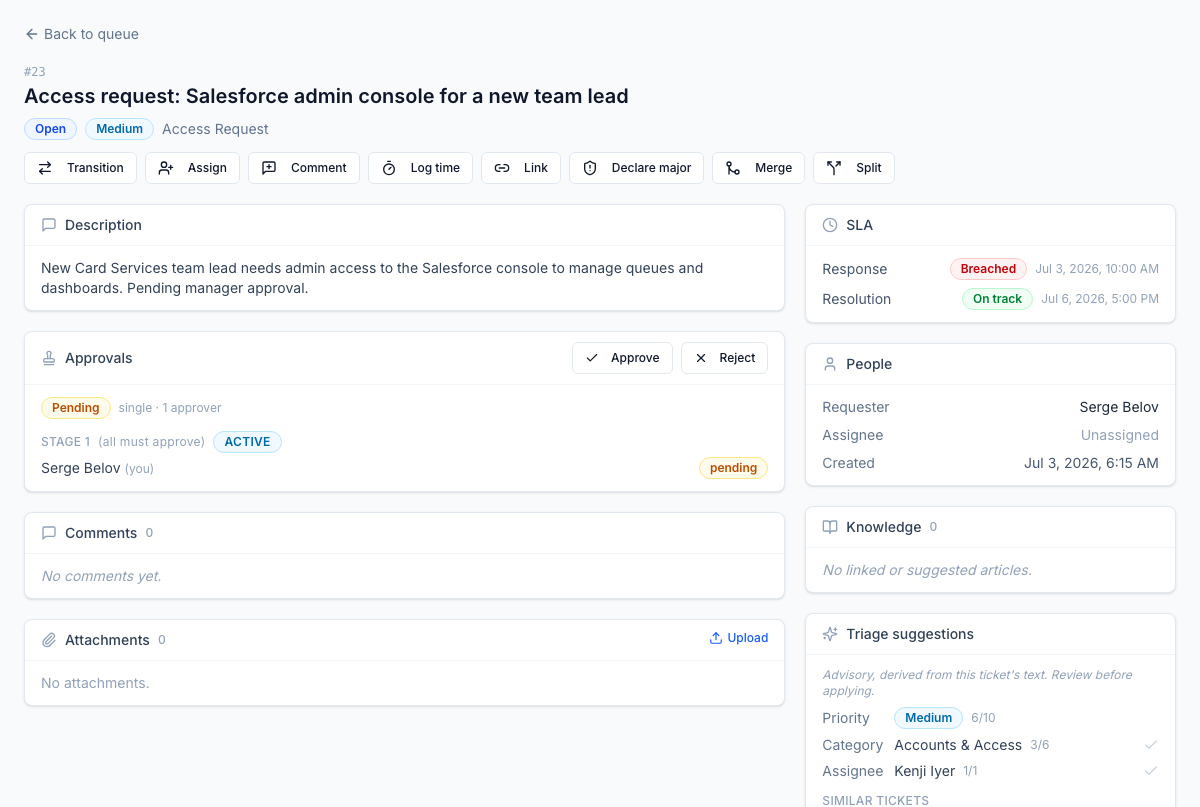
The header actions follow the workflow: pick the next status, assign to a person or group, log time, or escalate.
SLA and OLA tracking
Every ticket gets response and resolution targets the moment it is created, computed against the project's business-hours calendar so a Friday-evening ticket is not counted late over the weekend, and daylight-saving shifts are handled correctly. The clock shows one state at a glance:
| State | Meaning |
|---|---|
on_track | Within target |
at_risk | Approaching the target |
breached | Target missed |
met | Resolved within target |
paused | Clock stopped, for example while waiting on the requester |
OLAs track the team-to-team handoffs inside a ticket. When work moves to another assignment group, that group's own timer starts, so you can see where a ticket is actually sitting. A background scanner watches every clock and escalates as a target approaches.
Approvals
Some tickets should not proceed without a sign-off: an access request, a piece of equipment, a change. Service Desk resolves the right approval model from the issue type's policy:
- Single or sequential approvers,
- Parallel approvers (everyone in a stage), or
- Conditional approvals driven by the ticket's own fields.
Each stage runs on its own SLA clock. Approvers act inline (approve, reject, or delegate), and an escalation scanner hands off if a stage stalls.
Automation, the catalog, and macros
Three tools take the repetitive work off your agents:
- Automation rules fire on a trigger (a ticket created, or a status change), check conditions, then run actions: set a field, add a comment, assign to a group, or send a notification.
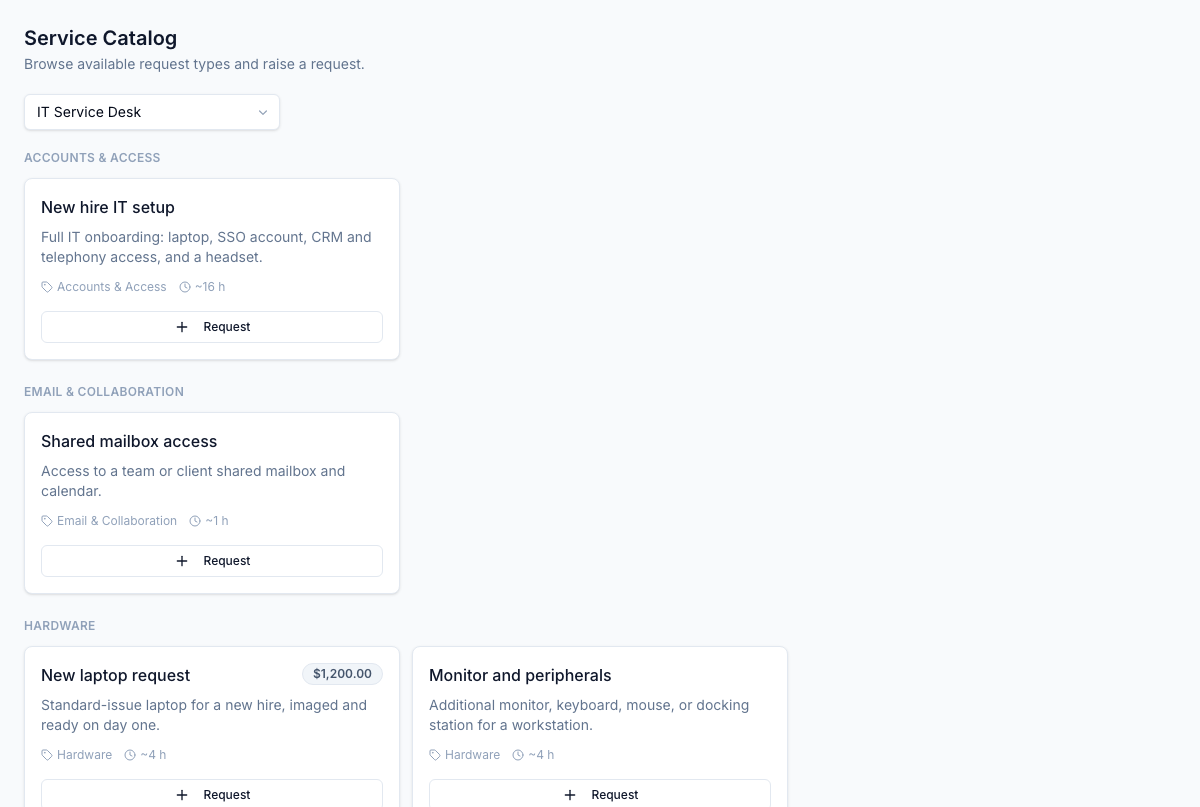
- The service catalog turns common requests into one-click, requestable services, each mapped to an issue type with its own approval and routing.
- Response templates (macros) are shared or personal canned replies with variables that fill in from the ticket, so an agent answers a routine question in one click.
Time tracking
Agents log time against a ticket by activity type. Whether an entry is billable is derived from the project's policy, entries are append-only, and logging time on someone else's behalf is gated to supervisors. Billable time feeds straight into client billing.
Merge, split, and sub-tasks
Real work rarely fits one ticket, so Service Desk handles the common shapes:
- Sub-tasks: a child ticket runs its own workflow, SLA, and approvals, and the parent cannot close while a child is still open.
- Merge: fold duplicate tickets into one survivor, carrying over their comments, attachments, and logged time.
- Split: break a ticket that turned out to be two problems into two.
Merge and split are supervisor-gated.
Major incidents
When something big breaks, declare a major incident: Service Desk spins up a war-room link and broadcasts to stakeholders. On resolution it auto-creates a draft post-incident review with a root-cause category and an action-item checklist (owner, due date, status), so the follow-through does not get lost.
Problem and change management
Service Desk carries the two ITIL practices that sit behind day-to-day tickets:
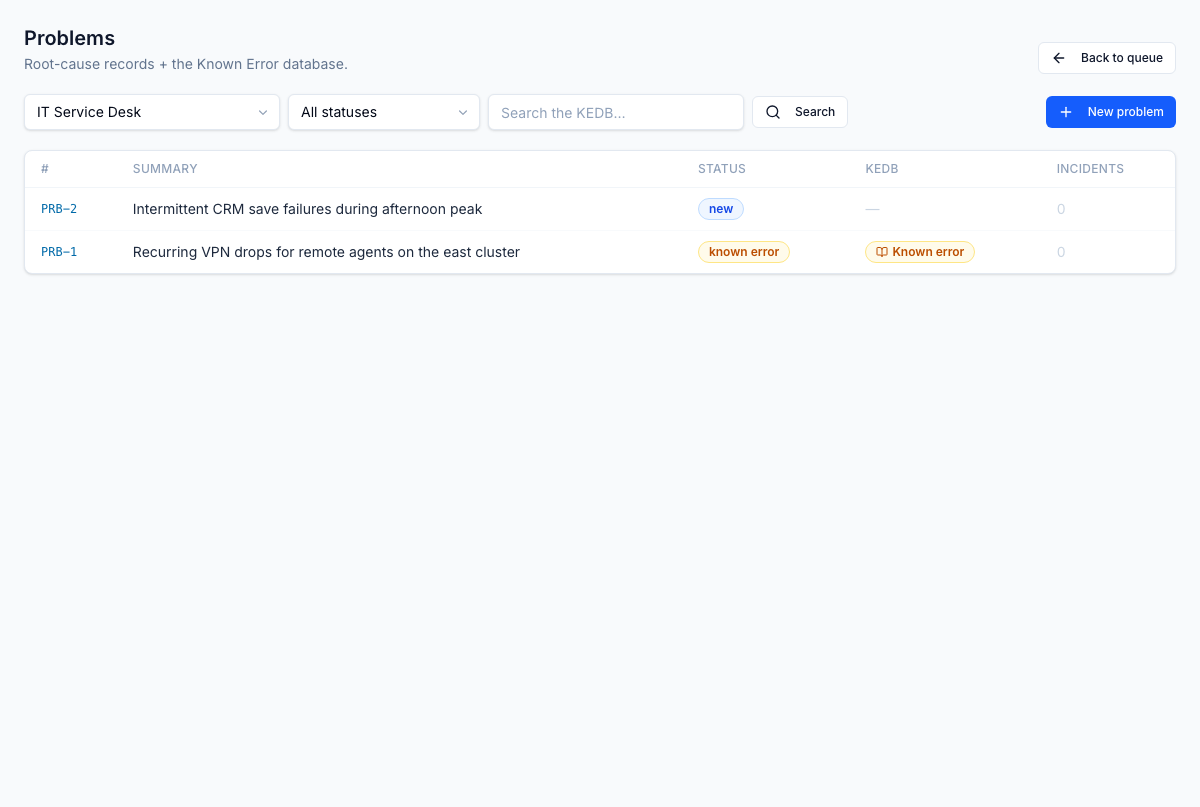
- Problems (
/service-desk/problems): the root-cause records behind recurring incidents, backed by a known-error database so a documented workaround is one lookup away. - Changes (
/service-desk/changes): planned changes routed through a CAB (change advisory board) with voting, scheduling, and rollback, so a risky change is reviewed before it ships.
Self-service and knowledge
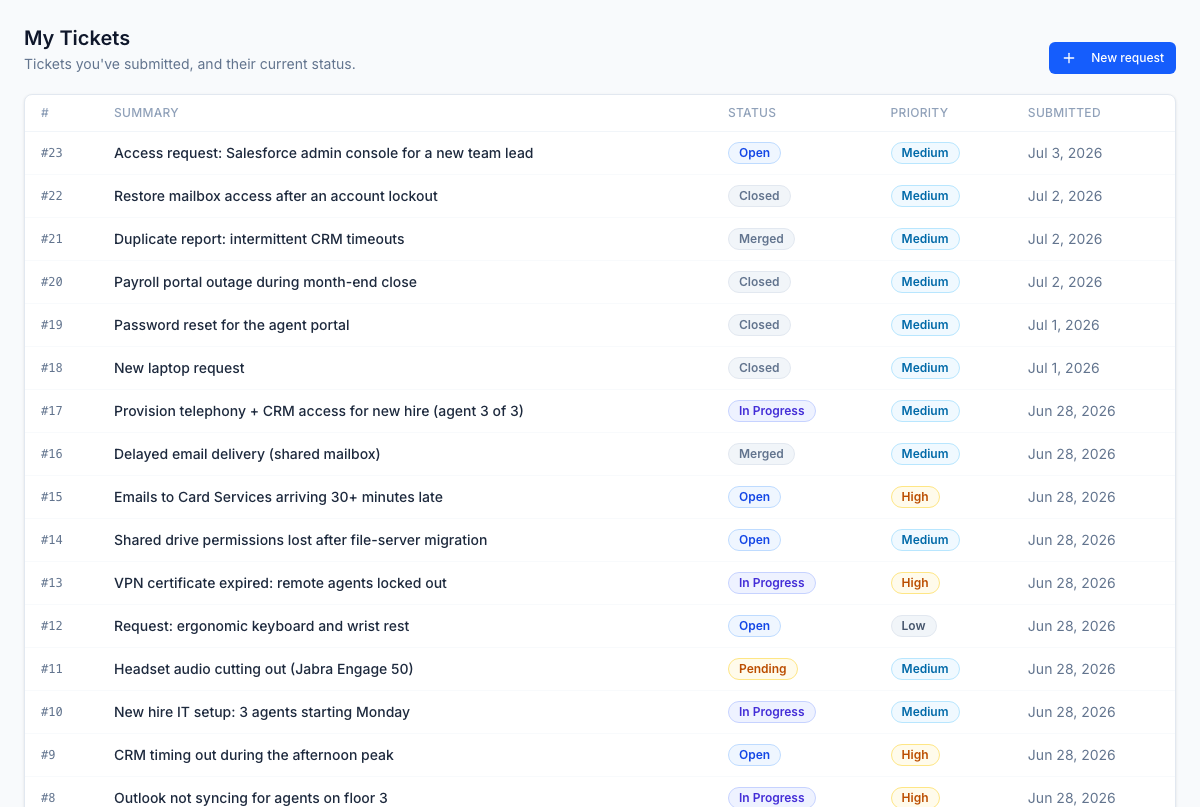
End users do not need an agent for everything. The self-service portal
(/service-desk/my-tickets) lets them submit a request from the catalog and
track its status. As they type, Service Desk suggests knowledge articles that
might answer the question outright and deflect the ticket. Agents get the same
suggestions on the ticket, and can promote a good resolution into a new article.
Reports
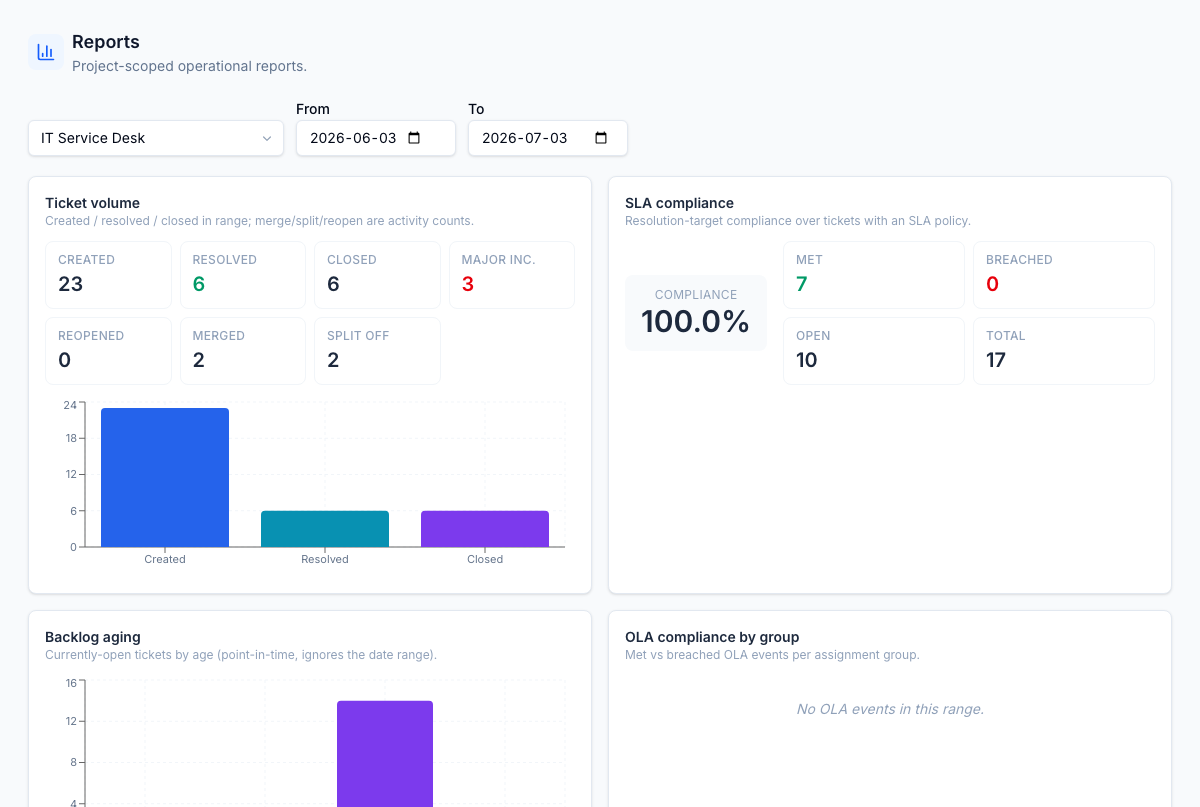
/service-desk/reports rolls the desk up for supervisors and managers: ticket
volume, SLA attainment, workload by group and by agent, and the operational cuts
a service-desk lead reviews.
Settings
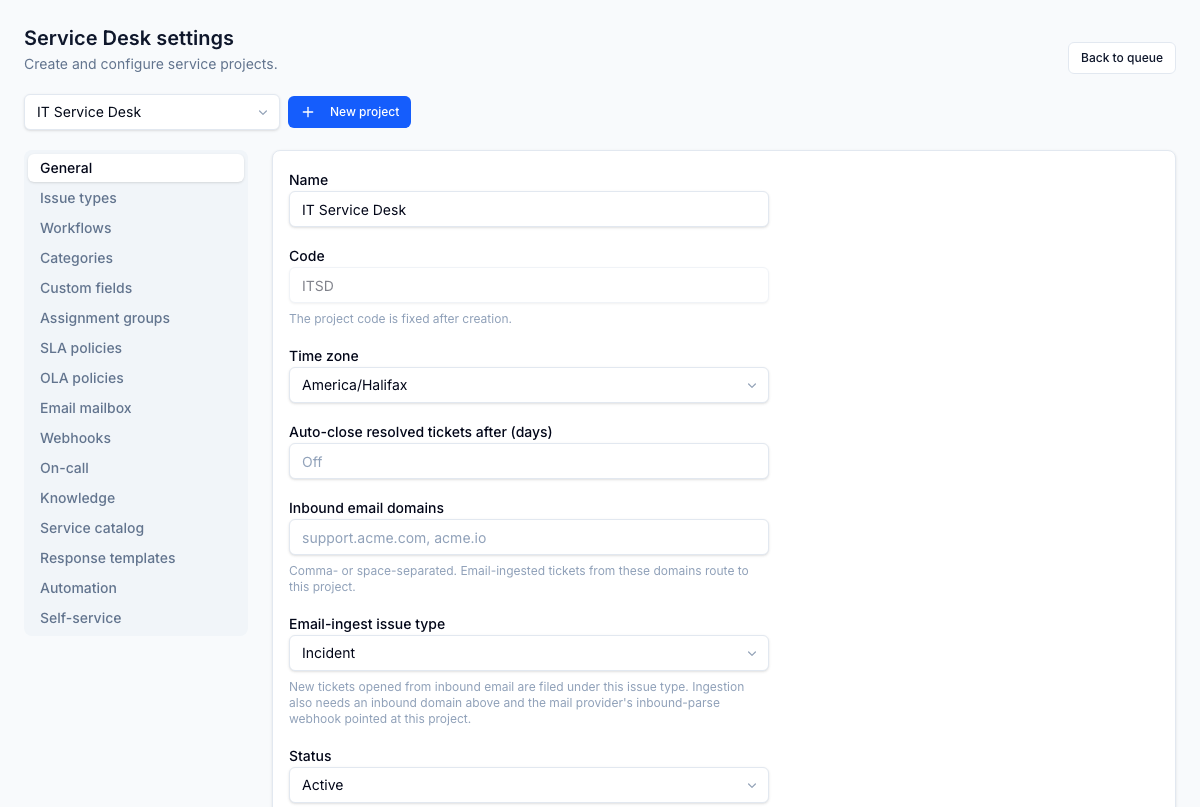
/service-desk/settings is where a project admin configures the desk. Each tab
owns one area: projects and their workflows, issue types, SLA and OLA policies,
business-hours calendars, assignment groups, categories, the service catalog,
response templates, automation rules, webhooks, on-call schedules, custom fields,
the email mailbox, and knowledge mappings.
Integrations
Service Desk connects out to the rest of your stack:
- Webhooks: outbound events to other systems, HMAC-signed and hardened against SSRF, with retry and a dead-letter queue.
- ITSM sync: bidirectional sync with an external ITSM tool, with conflict resolution and value mapping.
- On-call: on-call schedules with an escalate-to-on-call reassignment, so an after-hours page reaches whoever is holding the pager.
- Email intake: tickets can be raised straight from a monitored mailbox.
Roles
Service Desk ships six assignable roles. Permissions follow the
service_desk.<resource>.<action> pattern.
| Role | Lets the user… |
|---|---|
service_desk_enterprise_admin | Full control across every project (holds the service_desk.* wildcard) |
service_desk_project_admin | Configure a project: workflows, issue types, SLA/OLA, catalog, automation |
service_desk_supervisor | Manage a team: reassign, view team queues, merge and split, log time on behalf |
service_desk_agent | Work and resolve tickets in their authorized projects |
service_desk_end_user | Submit and track their own requests via the self-service portal |
service_desk_auditor | Read-only visibility for audit and oversight |
Pairs with
- Inventory: link a ticket to the requester's assigned assets and to configuration items, so you can see what a ticket actually touches.
- Knowledge: article suggestions deflect tickets, and a good resolution can be promoted into a new article.
- Client Portal: billable time logged on tickets flows through to client billing.