Performance Hub
The Performance Hub turns the signals FrontLine already captures — adherence, QA, attendance, productivity — into a single composite score per agent, refreshed nightly. Agents see their own score and trend; supervisors see their whole team ranked; HR tunes how the score is weighted per line of business.
Open it from the sidebar under Quality → Performance.
| Surface | Route | Who |
|---|---|---|
| Agent self-view | /performance | Every signed-in user |
| Team view | /performance/team | Supervisors, managers |
| Score weights | /settings/performance | HR admin |
| Formal reviews | Employee record → Performance tab | Supervisors, HR |
The composite score
Each agent's composite is a weighted blend of up to five KPI dimensions. HR sets the weights per LOB in the weight editor; the form validates that the weights sum to 100 before it will save, and the nightly snapshot worker picks up new weights on its next run.
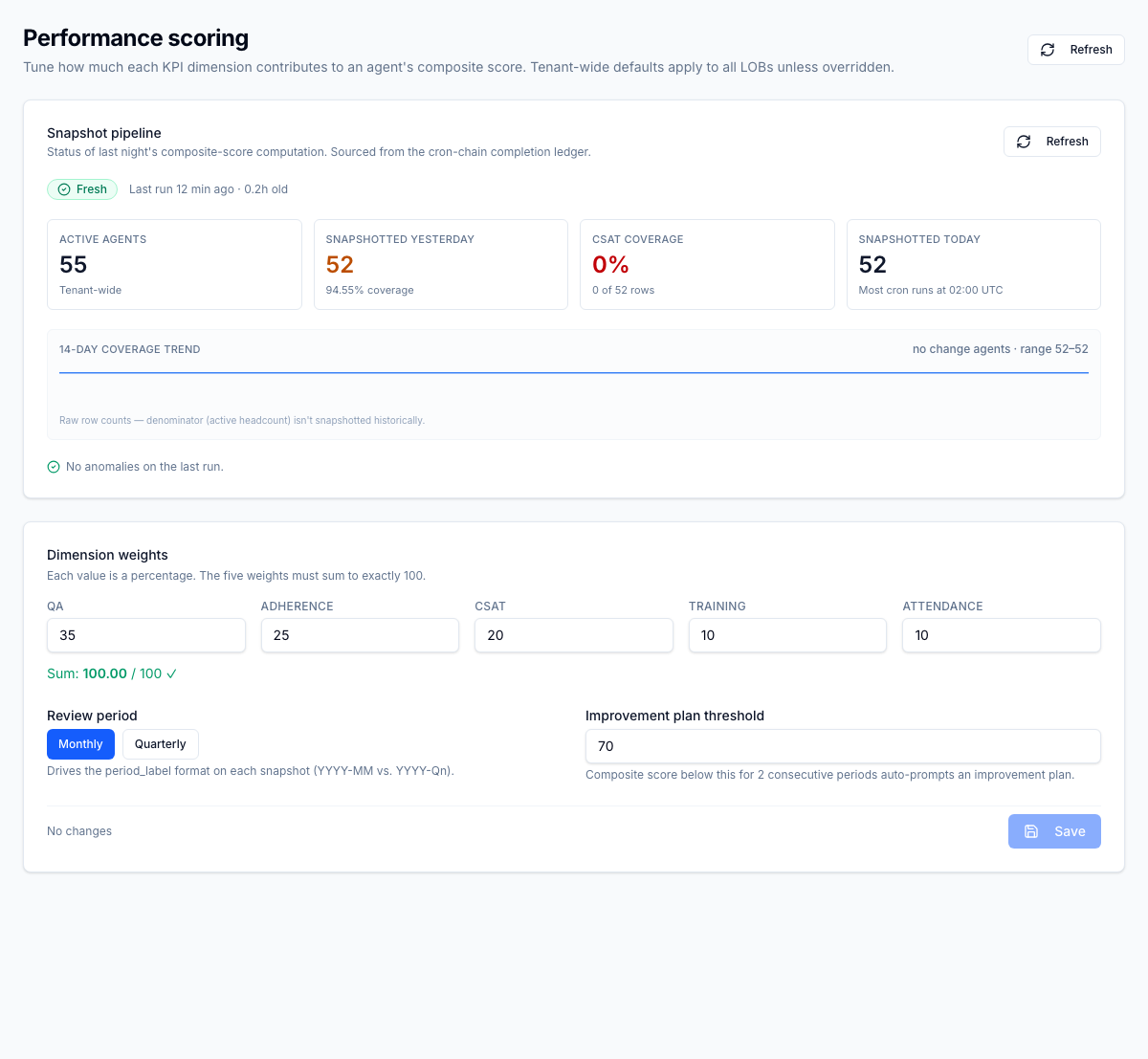
Above the editor, a snapshot-pipeline tile reports last-run status, anomaly count, and coverage, so HR knows whether the number everyone is looking at is fresh.
What the agent sees
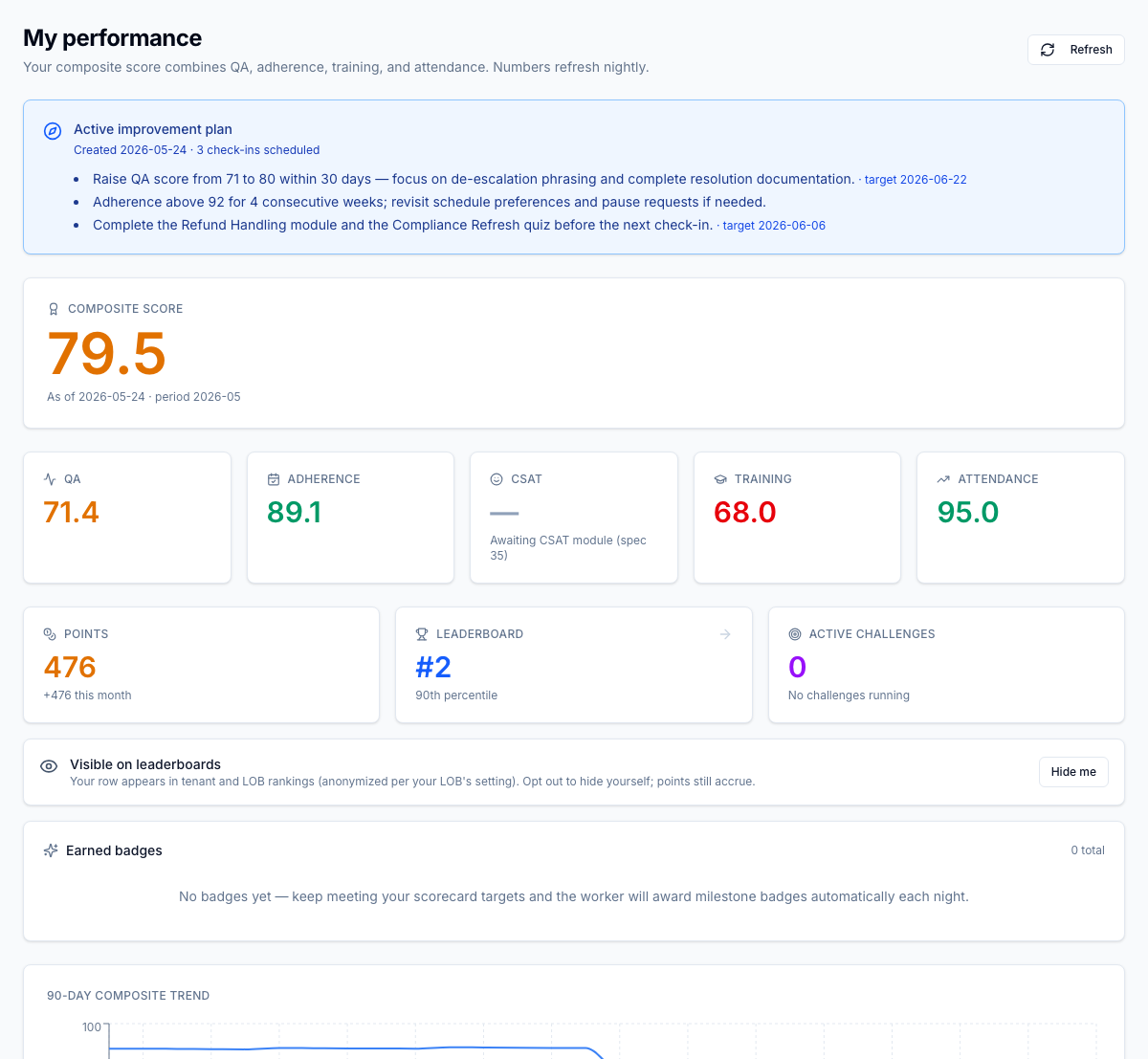
/performance is the agent's daily surface: a composite hero card, per-dimension
tiles, their percentile within the LOB (no peer names), and a 90-day trend chart.
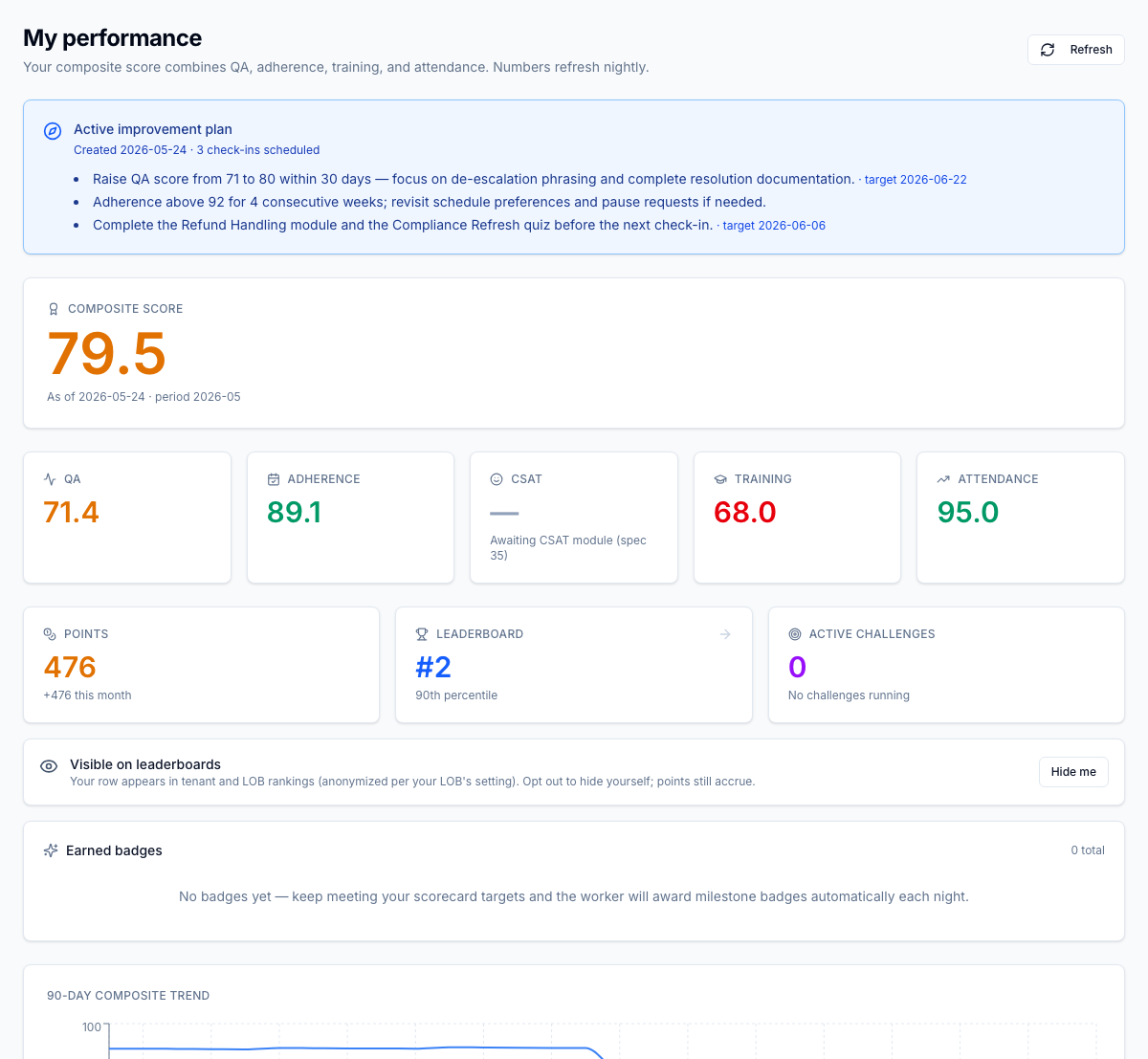
The same page also carries the agent's engagement strip — earned badges, points, leaderboard rank, and active challenges (see Gamification) — and any active improvement plan.
What the supervisor sees
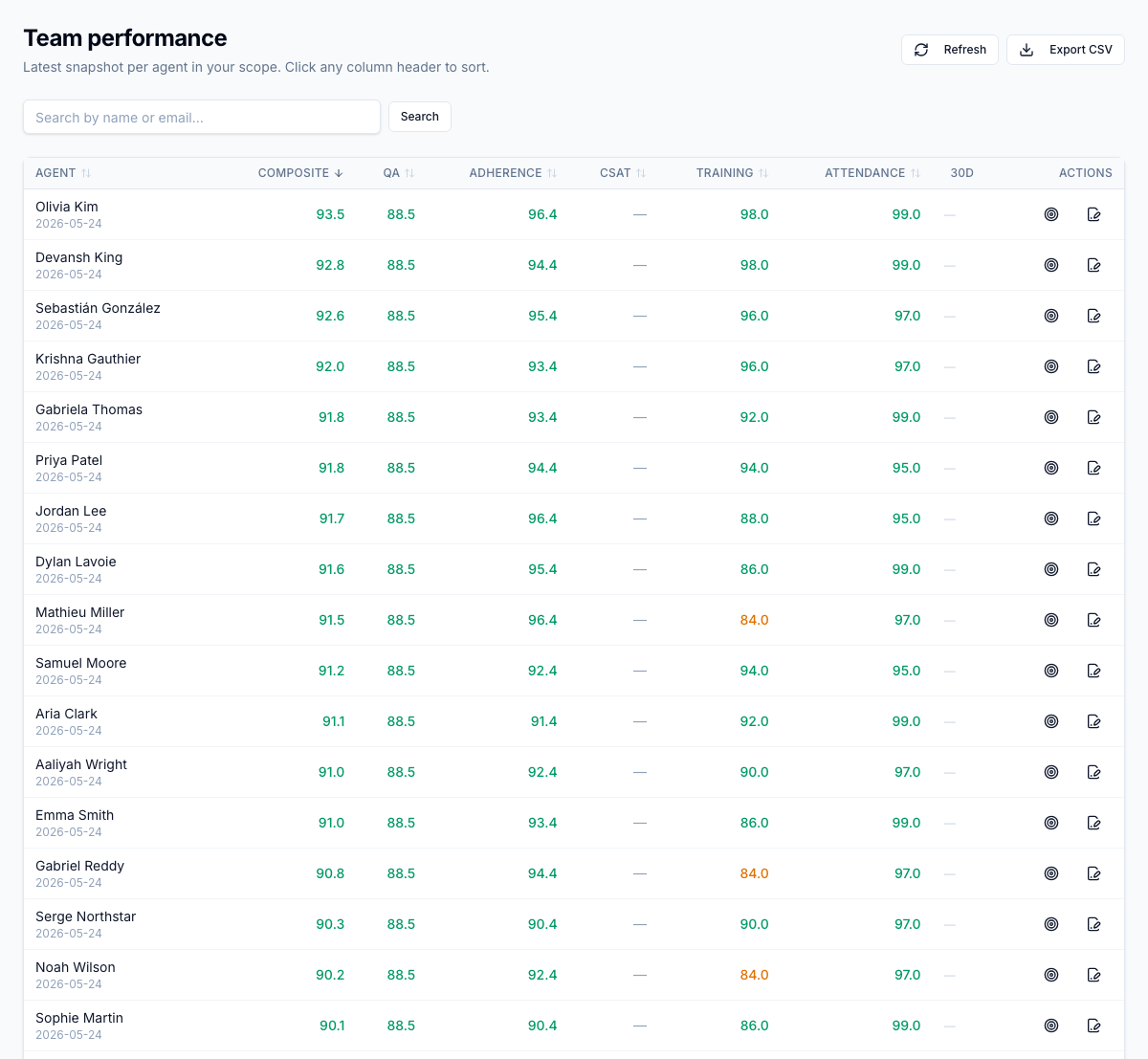
/performance/team is a sortable, ranked roster with the composite plus every
dimension column, a 30-day trend, and an inline PIP flag. Search, filter, and
CSV export sit in the toolbar; rows drill into the agent's full detail.
Alerts
The Performance Hub watches for trouble and lands alerts in the supervisor's notification inbox:
- Composite drop greater than 10 points in 30 days
- Below threshold for two consecutive periods
- A formal review still missing three days before period end
- A PIP check-in due in 24 hours
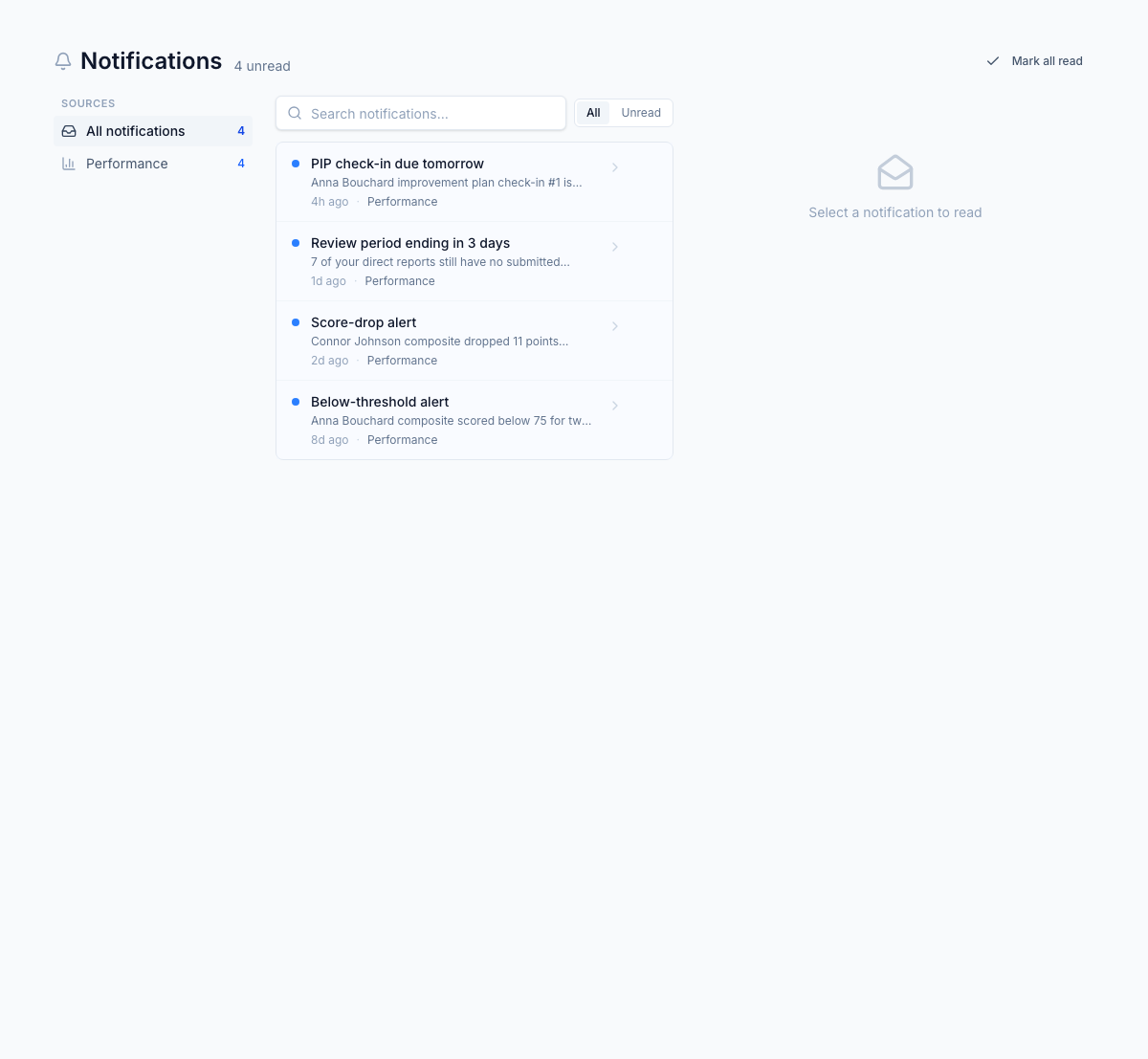
A dedup ledger ensures the same trigger never fires twice.
Formal reviews and improvement plans
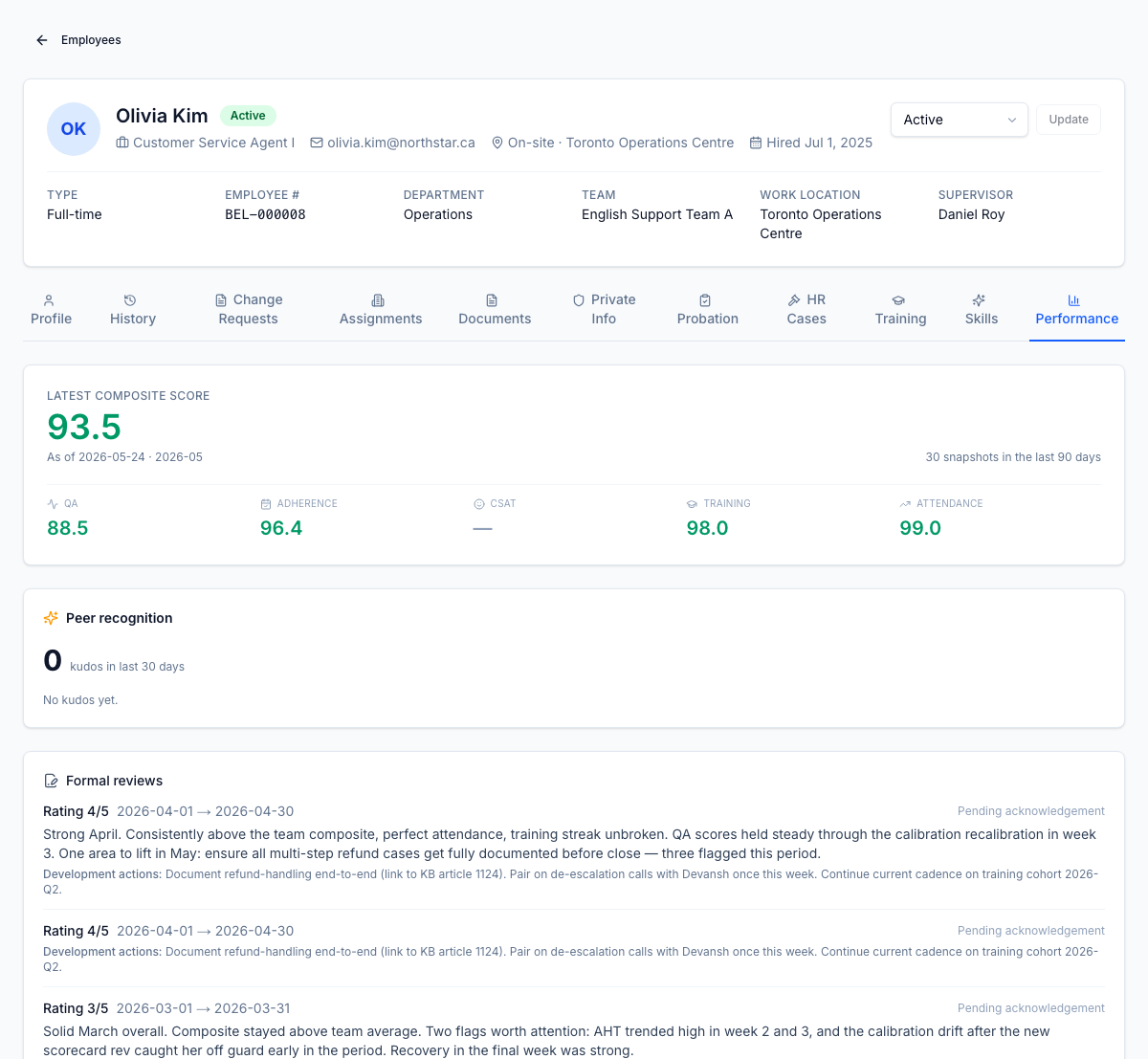
Formal reviews live on the employee record's Performance tab — rating, free-text notes, development actions, and an acknowledgement timestamp per review. Records are immutable and version-locked, so the trail survives any number of supervisor changes.
When the below-threshold alert fires for a second consecutive period, an
improvement plan auto-creates and surfaces on the agent's /performance
page with SMART goals, check-in dates, and status. Supervisors can also open one
ad hoc.
Roles
| Permission | Typical role | Lets the user… |
|---|---|---|
perf_hub.score.read.self | Agent | See their own score, trend, and improvement plan |
perf_hub.score.read.team | Supervisor, manager | See the team roster and drill into any agent |
perf_hub.review.submit | Supervisor | Write and submit a formal review |
perf_hub.improvement_plan.manage | Supervisor, HR | Open and manage improvement plans |
perf_hub.config.manage | HR admin | Tune composite weights per LOB at /settings/performance |
What to read next
- Gamification — points, badges, leaderboards, and challenges
- Peer recognition — kudos and endorsements
- Pulse surveys — eNPS and sentiment
- Wellbeing — check-ins, fatigue signals, and accommodations