Compliance dashboard
The Compliance dashboard is the privacy-and-audit control centre for compliance
officers — a unified audit log, PII access monitoring, failed-access detection,
data-retention controls, legal holds, DSAR handling, and SOC 2 evidence. Open it
from the sidebar under Compliance → Compliance (/compliance/overview).
This is the privacy/audit dashboard. For scheduling and labour-law rule compliance (maximum hours, rest between shifts, breaks), see Labour compliance.
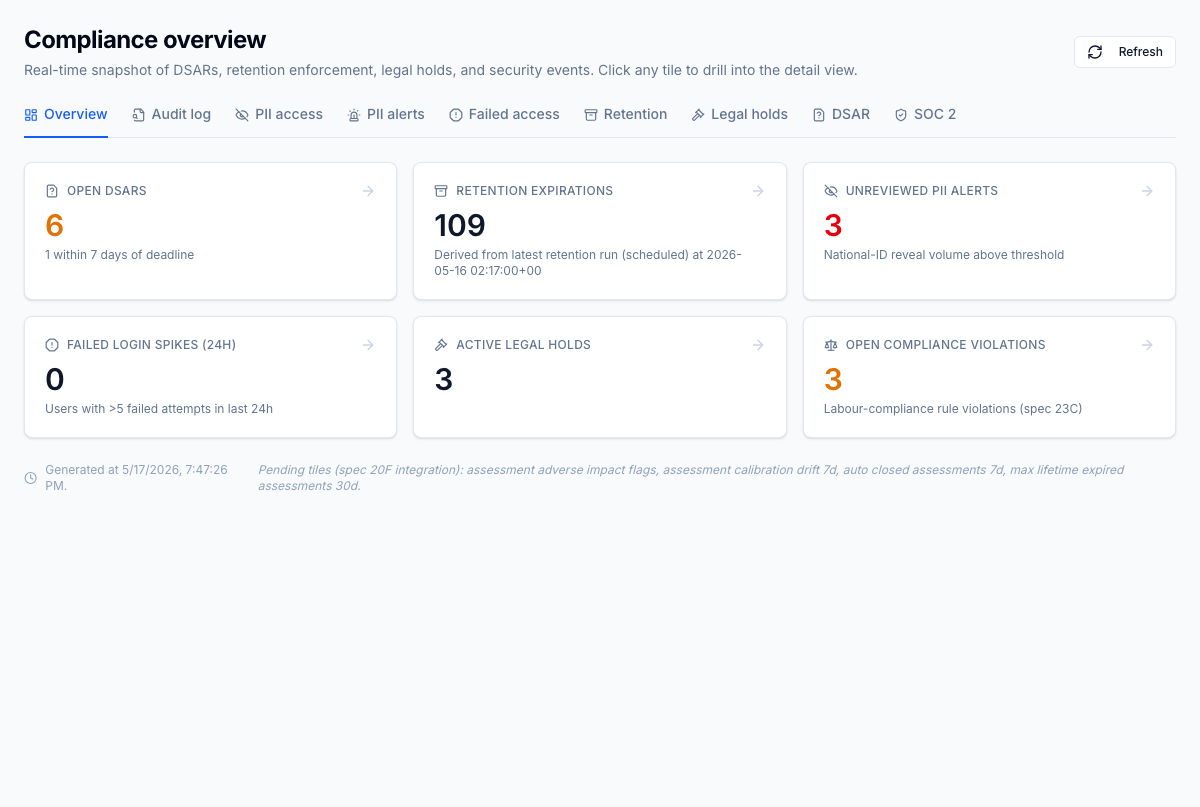
Dashboard home
A single landing page with KPI tiles for PII access, failed-access spikes, retention-run status, DSAR queue depth, legal holds in force, and SOC 2 package freshness. Every tile deep-links into the underlying log or workflow.
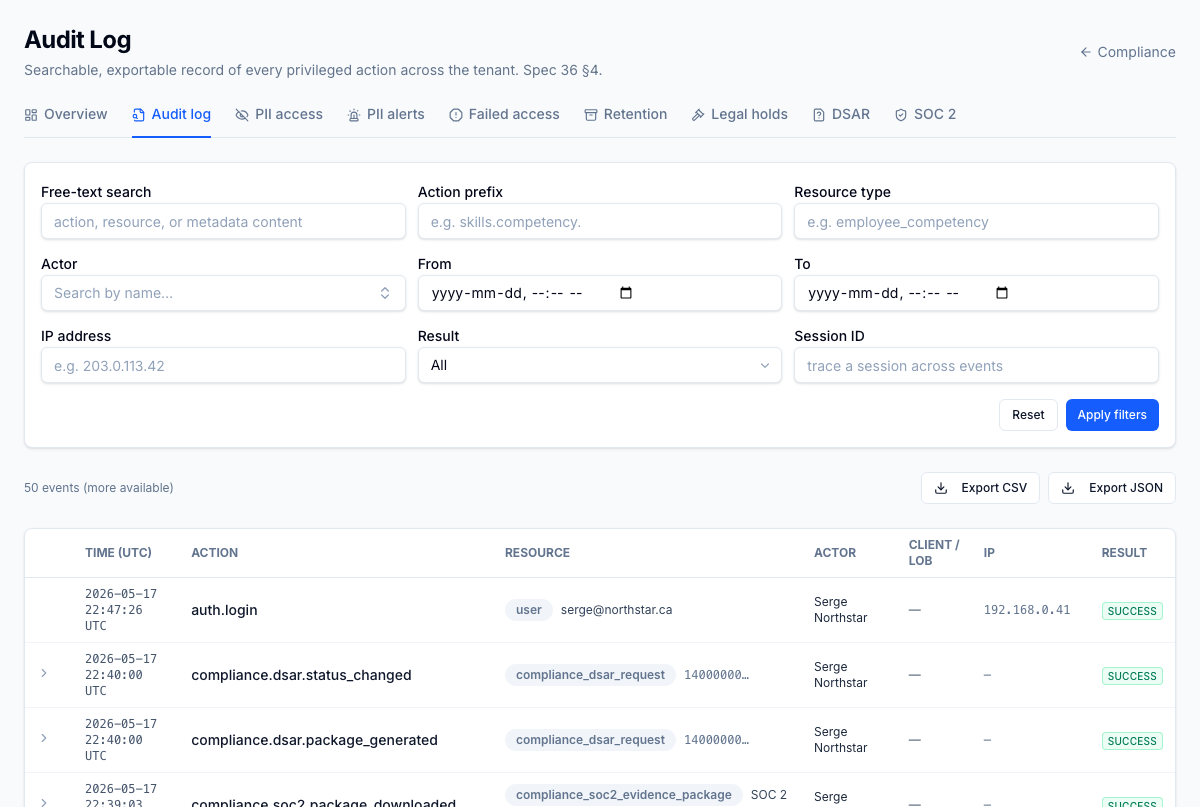
Unified audit log
Every audit event from every module in one searchable, exportable view. Filter by actor, action, resource, result, session ID, and date range; resource IDs resolve to human-readable names. CSV/JSON exports run as async jobs so a million-row export doesn't time out the UI.
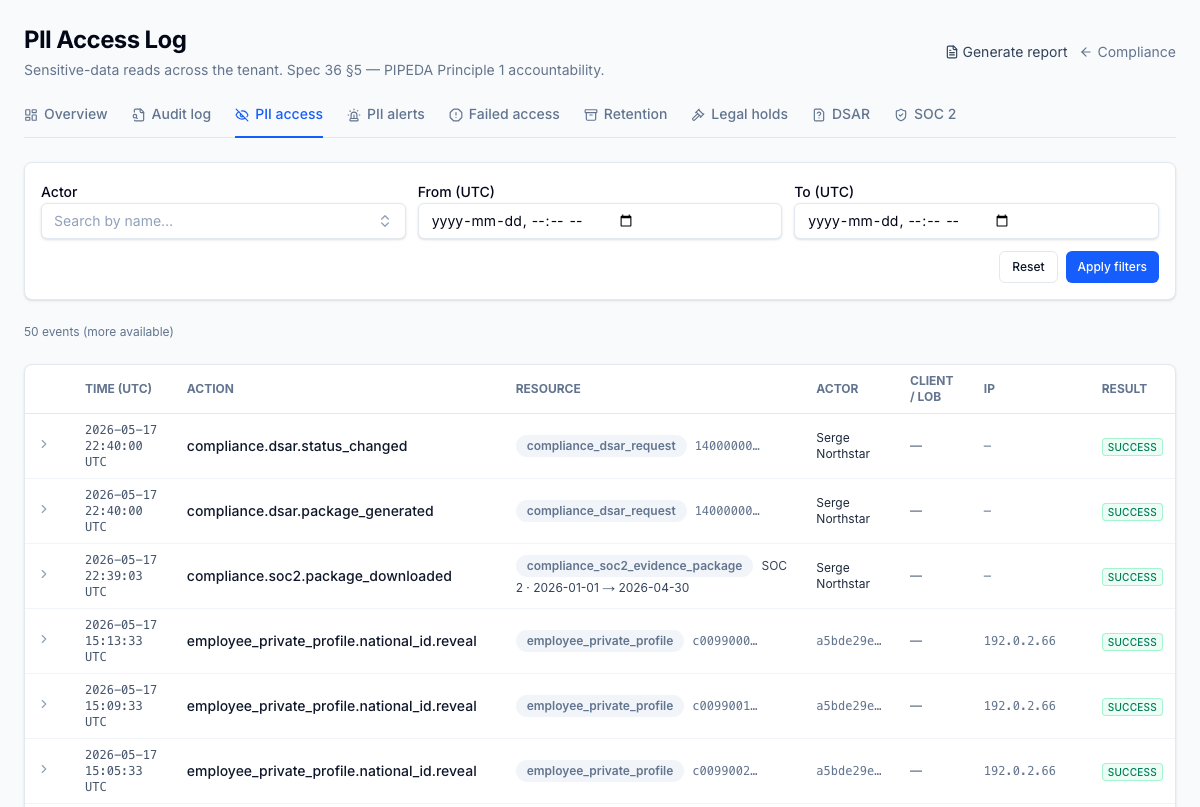
PII access log
Every read of a national ID, home address, emergency contact, and the like — logged with the actor, target employee, timestamp, and (where purpose annotation is on) the stated business reason. Same filters as the unified log, scoped to PII actions.
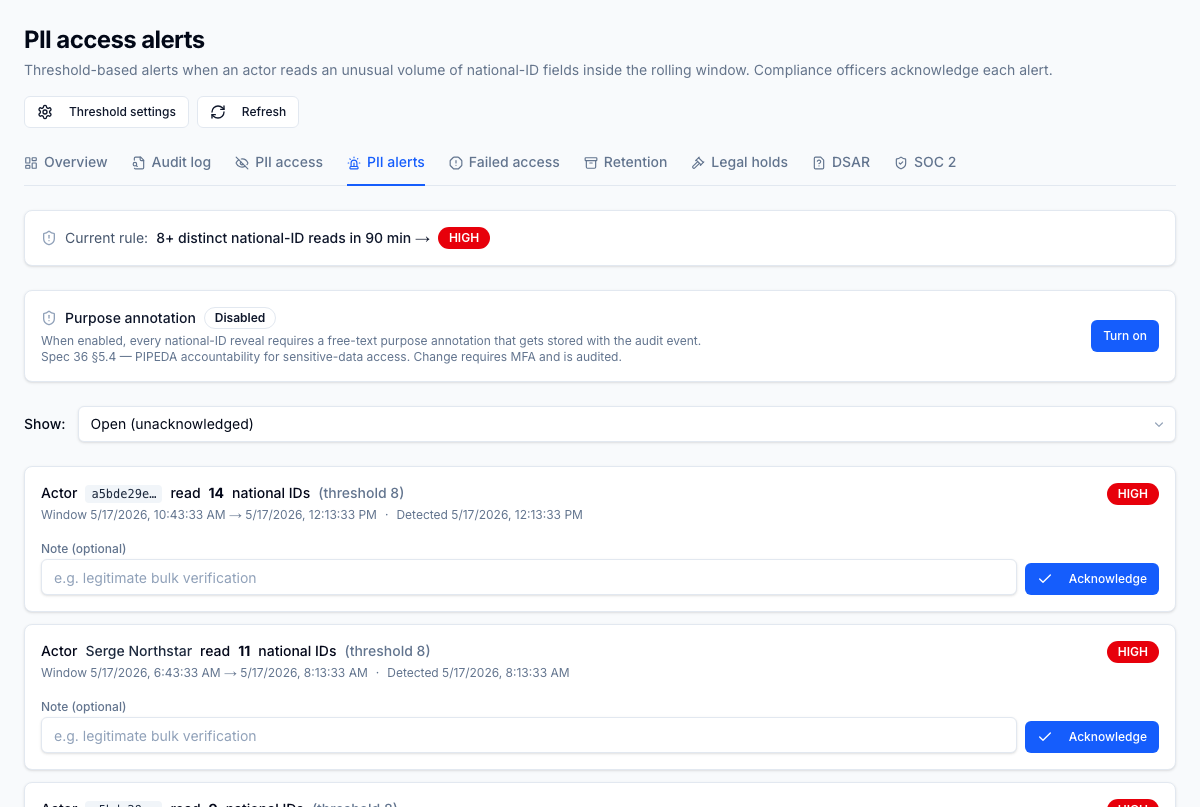
PII access alerts
Tenant-configurable thresholds — for example, "alert me if any single actor reveals more than five national IDs in one hour." A worker scans the PII access log on a cadence and notifies compliance officers when a rule trips; the alert itself is logged for chain of custody.
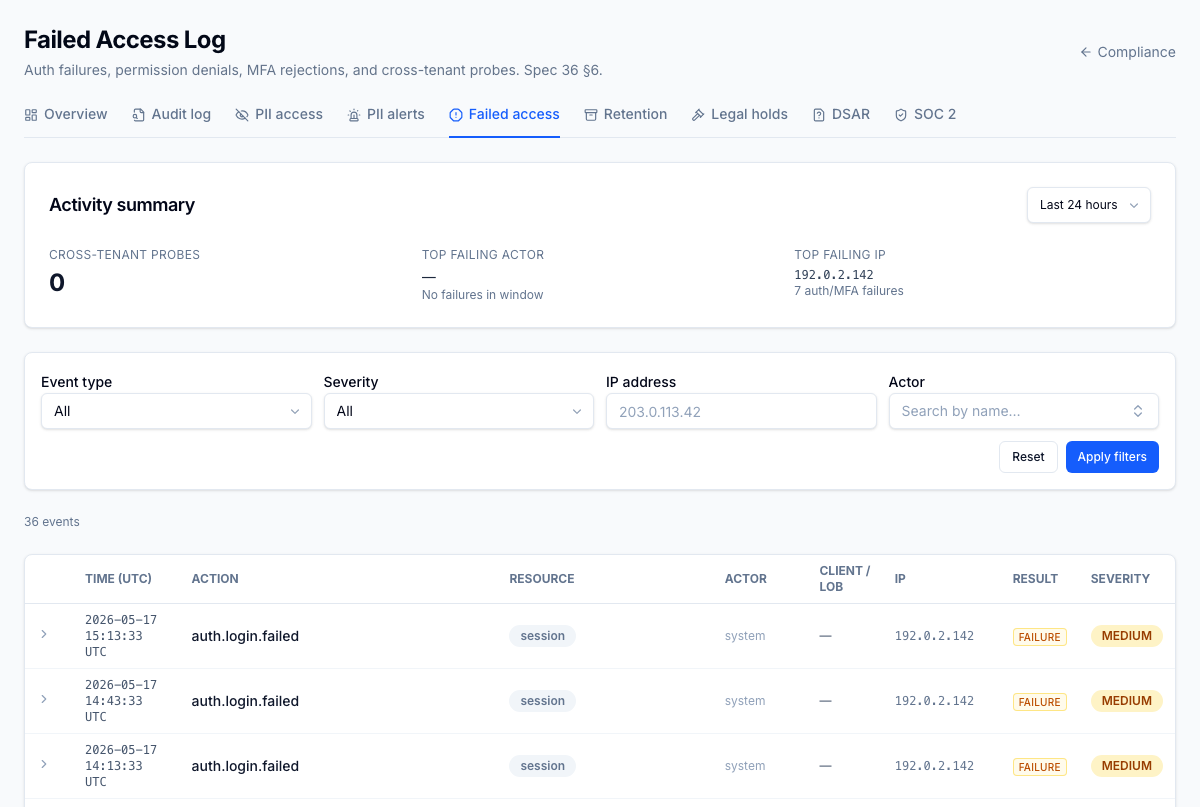
Failed & denied access log
Every authentication failure, permission denial, and cross-tenant probe in one stream. Brute-force aggregation surfaces patterns (five or more failures from one IP in ten minutes) so a credential-stuffing wave doesn't drown in single-row noise.
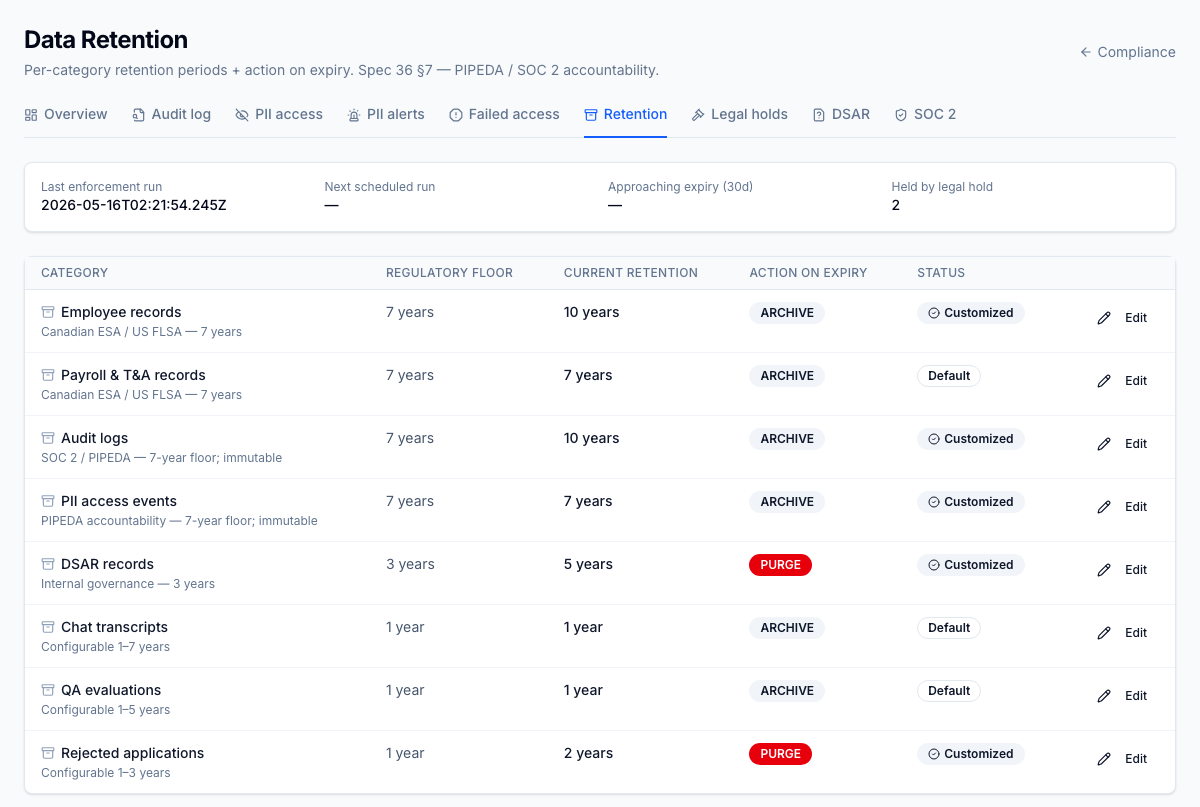
Data retention
A per-category retention editor — employee records, audit events, recruiting candidates, notifications, and more — with PIPEDA's seven-year floor enforced as a hard minimum. A dry-run preview shows exactly which rows would be purged or archived before commit, and a tighter retroactive rule requires explicit confirmation so it can't silently delete years of history.
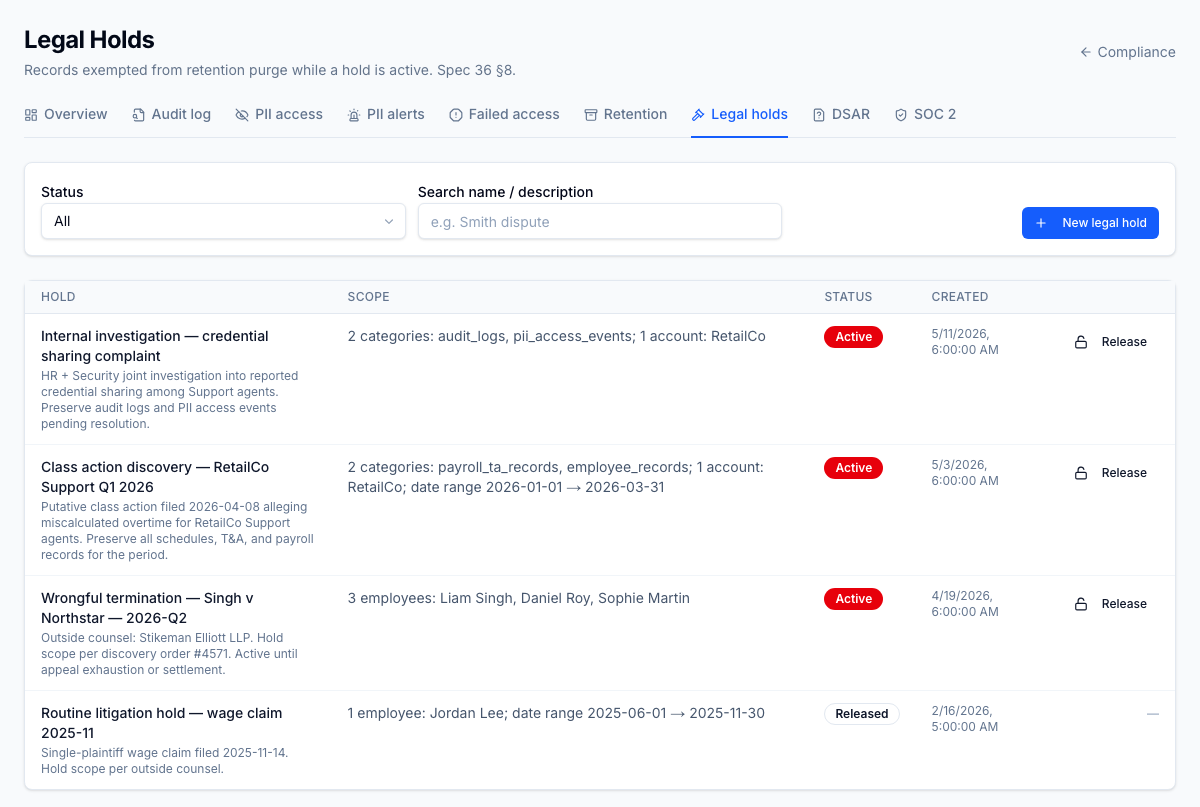
Legal holds
Place a hold on specific employees, candidates, or resource types and retention purges automatically skip those records until the hold is released. Each hold carries a case reference, scope, custodian, and an audit trail of every retention run that respected it.
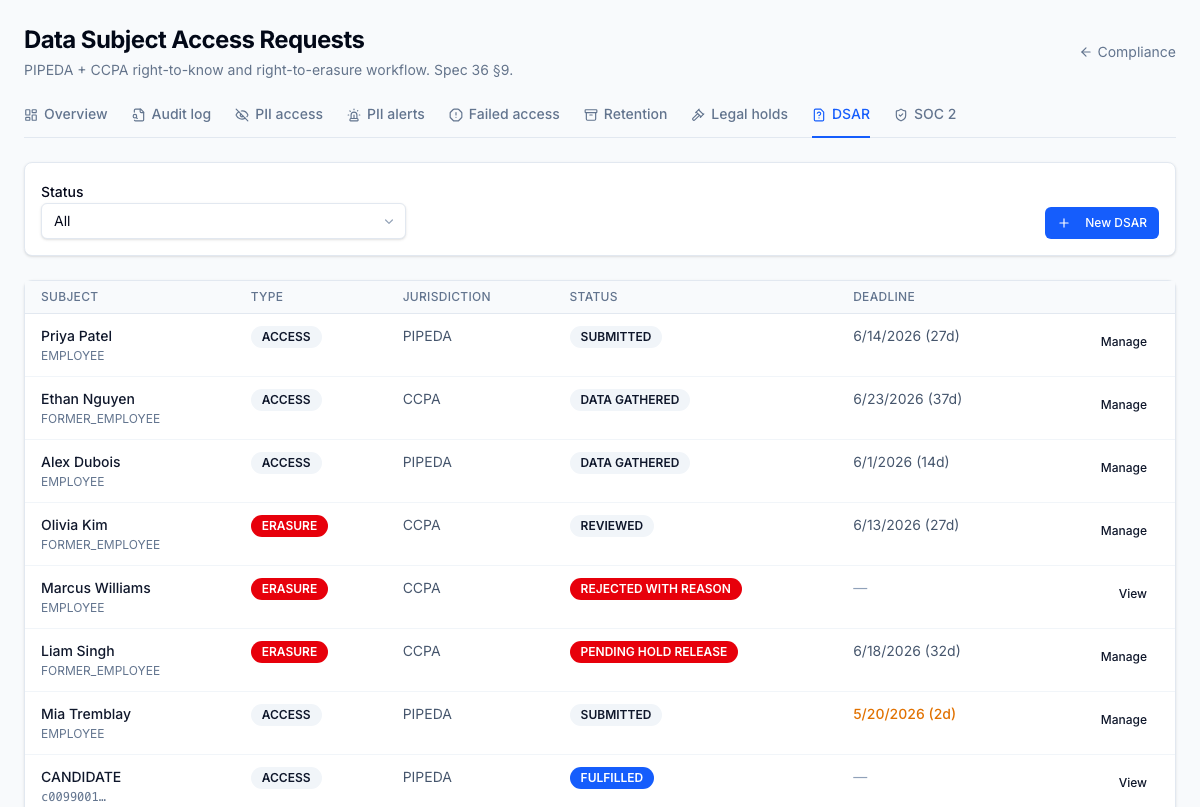
DSAR workflow
Data Subject Access Requests (PIPEDA + CCPA) are handled in-product through the full lifecycle: intake → identity verification → collection across every module → packaging into a downloadable ZIP → fulfillment. Module-specific collectors pull from employees, recruiting, onboarding, workforce, notifications, and more, and deadline alerts fire before statutory due dates.
SOC 2 evidence package
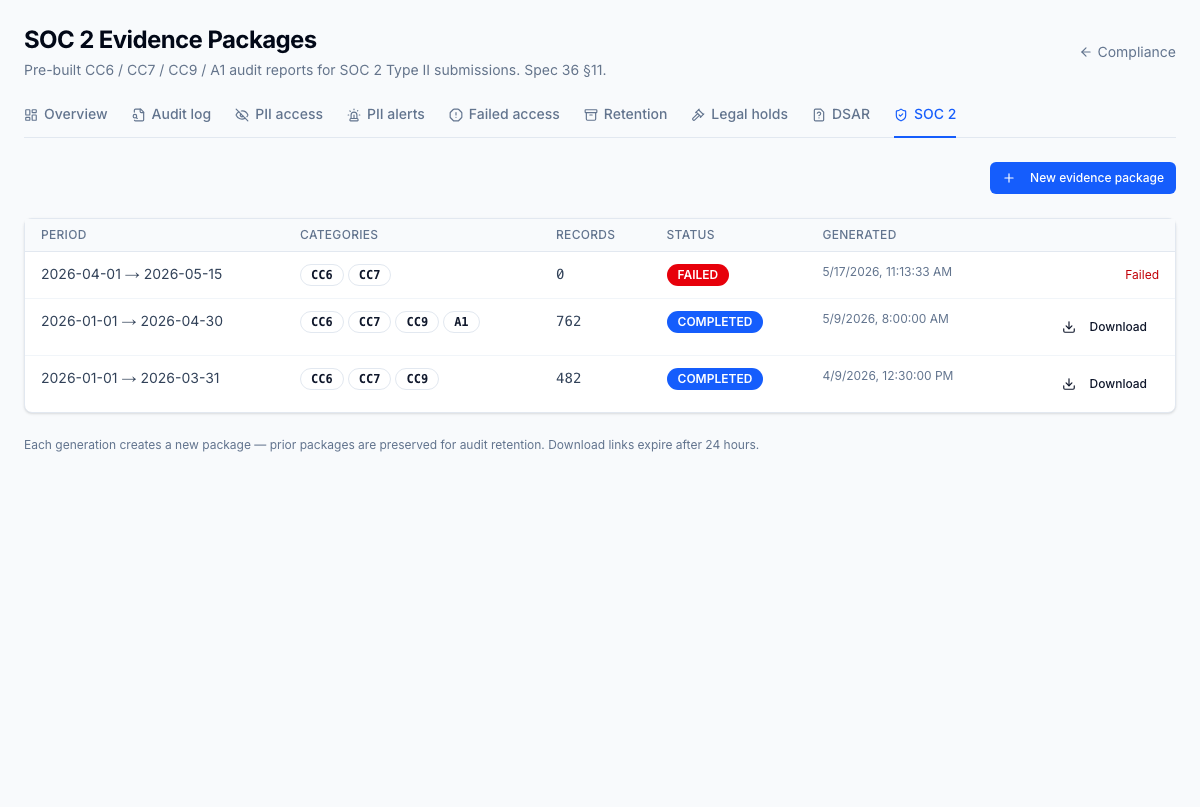
One click produces the bundle an auditor asks for — access reviews, audit-log samples, retention runs, PII access summaries, legal holds, and DSAR fulfillments. Async generation drops a ZIP with a manifest plus per-category exports, re-runnable on any date range, and every package is itself audited.
Roles
The dashboard is for compliance and privacy officers. Access is gated on the
compliance.* permission namespace:
| Permission | Typical role | Lets the user… |
|---|---|---|
compliance.dashboard.read | Compliance officer | Open the dashboard and its privacy surfaces |
compliance.audit_log.read | Compliance officer, auditor | Search and export the unified audit log |
Retention commits, legal holds, DSAR fulfilment, and SOC 2 generation are privileged actions restricted to the compliance-officer role and audited on every use.
What to read next
- Labour compliance — scheduling and labour-law rule tracking
- Employee records → Private information — the PII these logs protect