Pulse surveys
Pulse surveys measure employee sentiment — eNPS plus a few targeted prompts — on a privacy-preserving basis. Responses are anonymous at the individual level and only ever shown in aggregate.
Open the dashboard from the sidebar under Quality → Pulse (/pulse).
How it works
- Agents receive a survey on an anonymous token URL — the response is never linked back to the employee record.
- Results aggregate to team and LOB level. An aggregate is shown only when at least five responses are in for the period, so no individual can be inferred.
- Open-text answers feed a word cloud and sentiment classification.
The HR dashboard
/pulse is HR's dashboard: the eNPS trend, response rate by team, and sentiment
drift across the workload, manager, and wellbeing prompts.
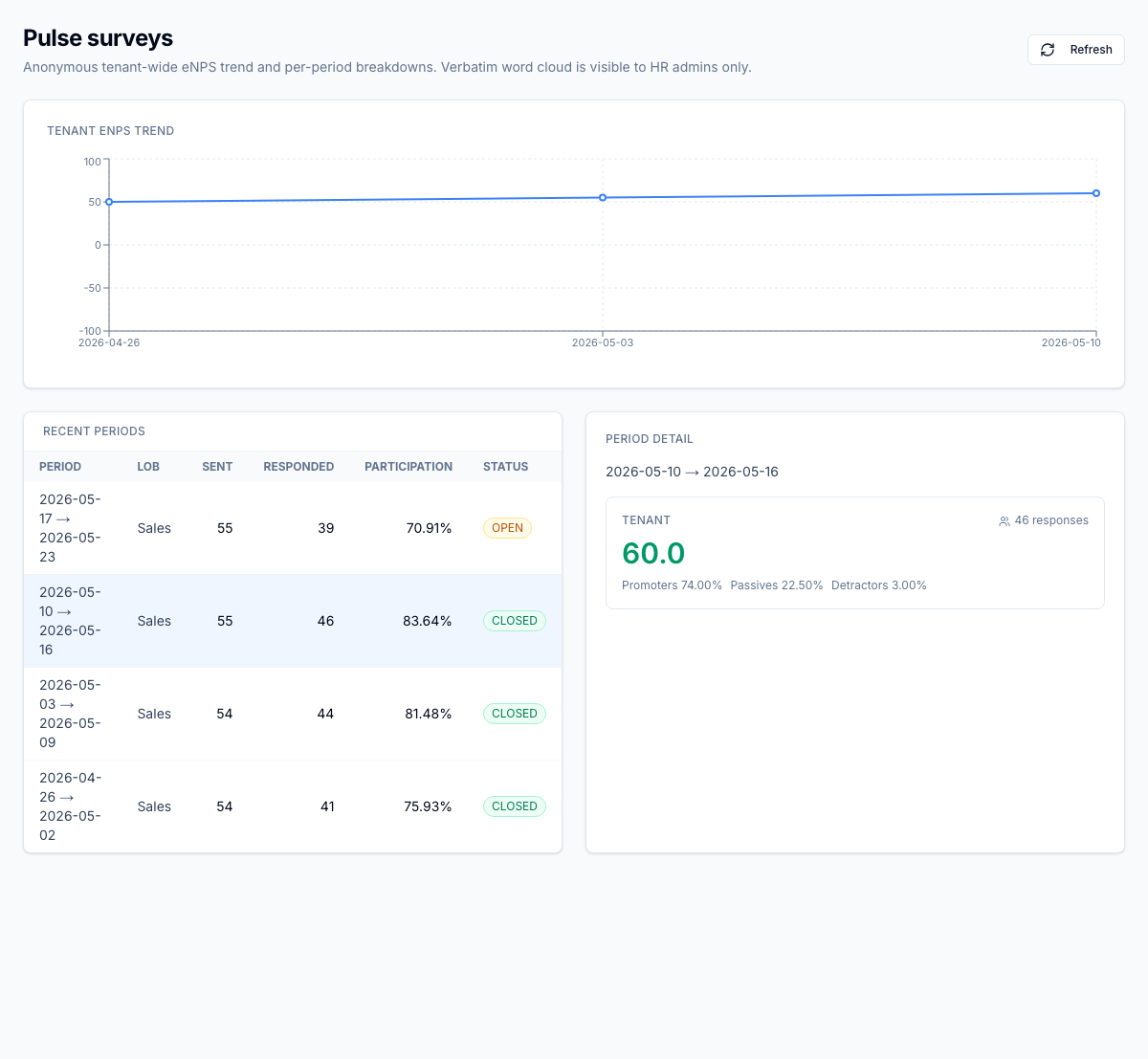
Low-score and sharp-drift signals raise alerts to HR. Employees can opt out of pulse invitations from their notification preferences.
Roles
| Permission | Typical role | Lets the user… |
|---|---|---|
pulse.results.read | HR | See tenant-wide results |
pulse.results.read.lob | Supervisor | See results for their own LOB only |
pulse.config.manage | HR admin | Configure cadence, prompts, and opt-out rules |
What to read next
- Wellbeing — the deeper check-in, fatigue, and accommodation layer built on the same pipeline