Scorecards
A scorecard is the template used to evaluate an interaction. It defines the sections, the questions in each section, the scoring rules, and the post-submission rules (dispute window, required agent response, etc.).
Open the Scorecards tab from the QA section.
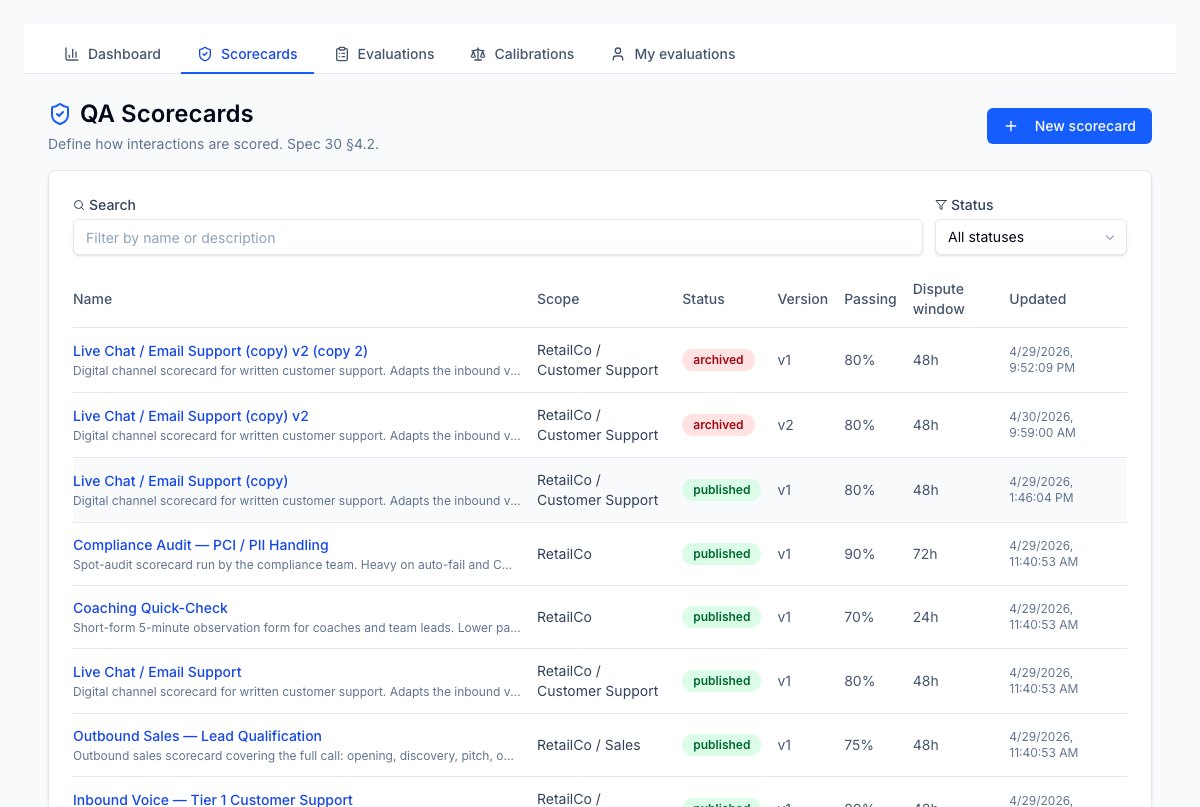
The list
The scorecard list shows every scorecard in the tenant with its status, version, passing-score percentage, dispute window, and last-updated time. Use the search box to filter by name and the status dropdown to narrow to Draft, Published, or Archived.
Click a row to open the scorecard detail. Click New scorecard to start a fresh draft.
Lifecycle
A scorecard moves through three states:
| State | What it means | What you can do |
|---|---|---|
| Draft | In progress, not visible to evaluators starting new evaluations | Edit anything: settings, sections, questions |
| Published | Live — evaluators can pick this scorecard when starting an evaluation | Read-only structure; can archive |
| Archived | Frozen; no new evaluations can use it. Existing evaluations keep their reference | None other than restoring (where supported) |
Editing a published scorecard is locked by design — every evaluation pins its scorecard version, so the historical scoring rubric is preserved. To change a published scorecard, create a new version (which starts as a draft).
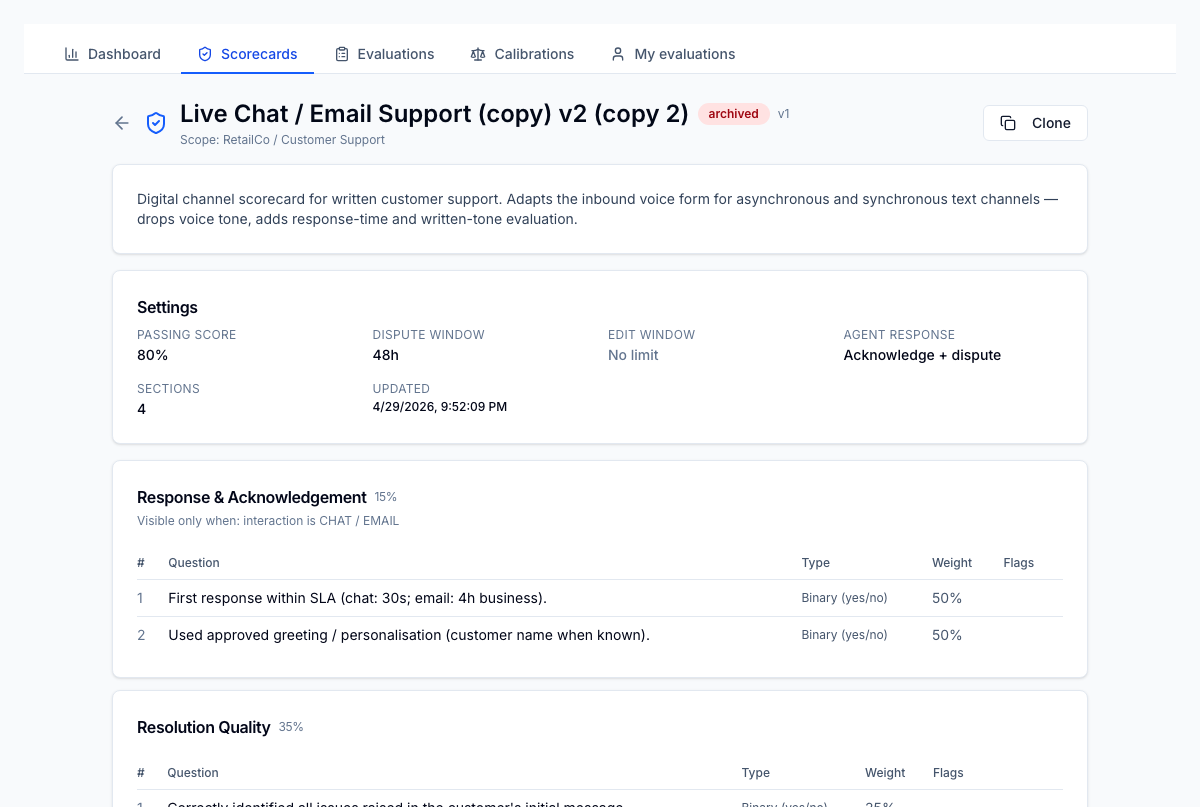
Settings
The settings sheet on a draft scorecard controls evaluation-level rules:
| Setting | Effect |
|---|---|
| Name / description | Displayed in pickers and on every evaluation |
| Passing score % | Threshold for passed=true on a submitted evaluation |
| Dispute window (hours) | How long an agent has to dispute after submission. 0 disables disputes |
| Editing window (hours) | How long the evaluator can edit answers after submitting. Optional |
| Agent response type | What the agent is required (or invited) to do post-submission: None, Acknowledge, Acknowledge & dispute |
Sections
Sections group related questions and carry the weight a section contributes to the total. Each section has a type:
| Section type | Behaviour |
|---|---|
| Standard | Contributes to the weighted score normally |
| Bonus | Adds to the score above the standard weighting (can push total above 100%) |
| Compliance | Pass/fail only — any failed question in this section auto-fails the whole evaluation |
Sections also support conditional visibility: show this section only when the evaluation matches certain interaction types, disposition codes, or client/LOB combinations. Conditions are AND-combined.
Questions
Each question carries:
- Text — the prompt the evaluator sees
- Type —
binary(pass/fail),scale(numeric range),rubric(radio with labelled levels), ortext(free-form, unscored unless flagged) - Required — must be answered before submit
- N/A eligible — evaluator can mark the question not applicable; weight is redistributed across remaining scored questions in the section
- Auto-fail — a fail on this question marks the entire evaluation as auto-failed (binary and rubric only — text and scale questions can't be auto-fail)
- Scored — uncheck for diagnostic-only questions that don't contribute to score
- Weight % — the question's contribution within its section
Scope visibility
A scorecard can be tenant-wide (no client/LOB scope) or scoped to one or more clients and LOBs. Scoping affects:
- which scorecards an evaluator can pick when starting an evaluation, and
- which calibrations can use this scorecard.
Scope is set in the scorecard settings sheet on draft.
Versioning
When you publish a scorecard, its structure is locked. To make changes, the
New version action creates a fresh draft (v2, v3, …) preserving the
existing scorecard ID. Evaluations always reference a specific version, so
historical scoring stays consistent even after the scorecard evolves.